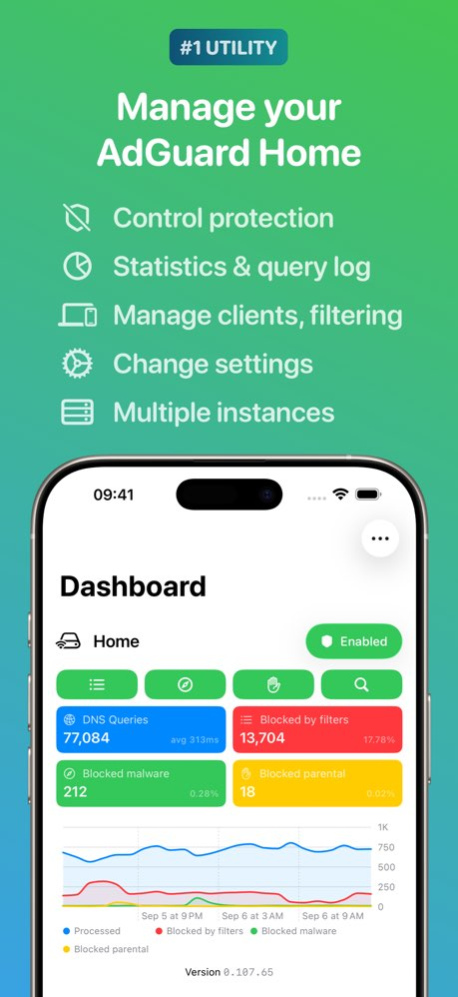
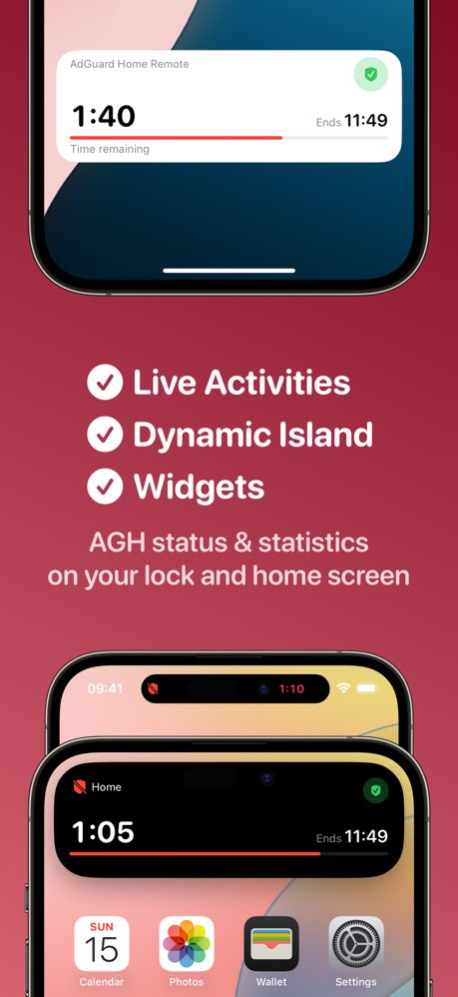
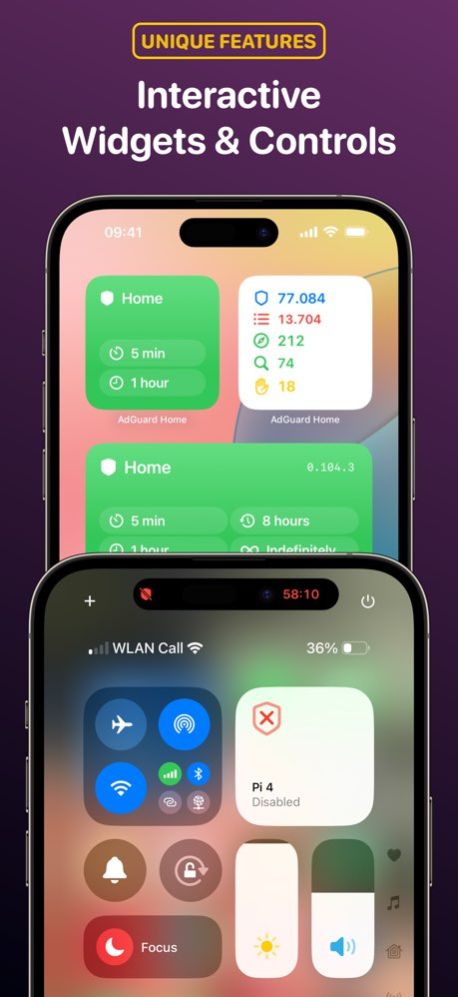
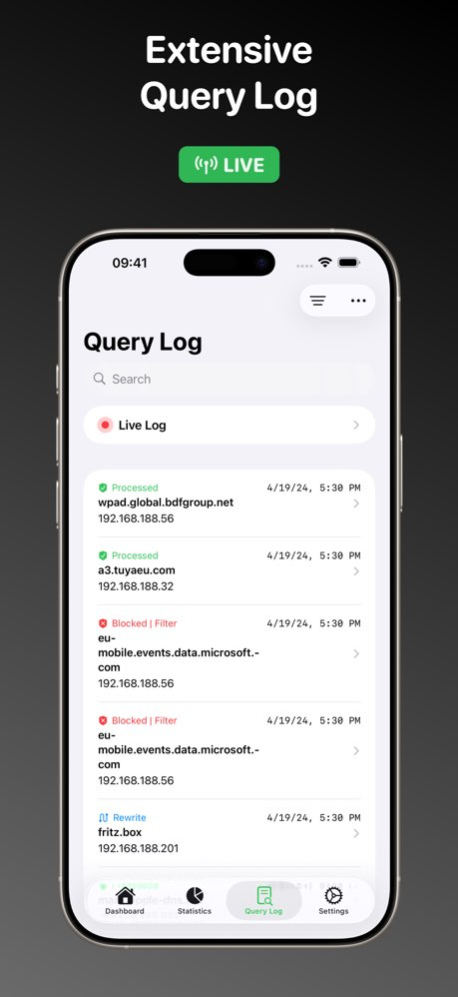
Previous Versions
Here you can find the changelog of AdGuard Home Remote since it was posted on our website on 2021-12-14 22:45:47.
The latest version is 9.5.1 and it was updated on 2026-10-13 22:23:00. See below the changes in each version.
AdGuard Home Remote version 9.5.1
Updated At: 2026-10-13
Changes: Version History v9.5.1 improves the security of sensitive data storage and makes the Apple TV app significantly faster and more responsive.
Improved:
- Improved storage security for sensitive data
- Significantly improved Apple TV performance and responsiveness
---
v9.5 adds Instance Visibility, Away Connections for Widgets/Controls/Shortcuts, new filtering Shortcuts, an optimized iPhone Duo interface, and Indonesian translations.
This version requires iOS 17.0 and watchOS 11.0 or newer.
New:
- Control where each instance appears with the new 'Instance Visibility' setting: always show or hide it, or show or hide it on selected Wi-Fi networks (requires Pro)
- Choose a configured 'Away Connection' for Widgets, Controls, and Shortcuts (requires Pro)
- New Shortcuts to get or change Protection, Rule Filtering, Safe Browsing, Parental Filtering, and Safe Search
- First UI optimizations for iPhone Duo
- Added Indonesian translations
Improved:
- Automatic and 'All Instances' actions in the main app now respect Instance Visibility
- Protection and filtering Shortcuts, and the Protection Widget, can now target all instances at once
- 'Get Protection State' now returns its result for use in Shortcut automations
- Improved support for the 27 OS versions
- Minor UI tweaks
Fixed:
- The widget gallery's 'Add Widget' button now uses the app's green accent color
- Fixed Away Connection sometimes switching to the wrong address when the Wi-Fi network name was unavailable or a Mac was connected to Ethernet and Wi-Fi at the same time
- Fixed Query Log and Statistics sometimes retaining data from instances that became hidden
- Fixed protection notifications after all-instance actions sometimes targeting instances hidden by visibility rules
- Removed the duplicate legacy 'Get Current State' action from the Shortcuts library
- Fixed rare issues with the Live Activity not dismissing properly
- Fixed small issues related to WiFi detection 9.5.1 Sep 23 v9.5 adds Instance Visibility, Away Connections for Widgets/Controls/Shortcuts, new filtering Shortcuts, an optimized iPhone Duo interface, and Indonesian translations.
This version requires iOS 17.0 and watchOS 11.0 or newer.
New:
- Control where each instance appears with the new 'Instance Visibility' setting: always show or hide it, or show or hide it on selected Wi-Fi networks (requires Pro)
- Choose a configured 'Away Connection' for Widgets, Controls, and Shortcuts (requires Pro)
- New Shortcuts to get or change Protection, Rule Filtering, Safe Browsing, Parental Filtering, and Safe Search
- First UI optimizations for iPhone Duo
- Added Indonesian translations
Improved:
- Automatic and 'All Instances' actions in the main app now respect Instance Visibility
- Protection and filtering Shortcuts, and the Protection Widget, can now target all instances at once
- 'Get Protection State' now returns its result for use in Shortcut automations
- Improved support for the 27 OS versions
- Minor UI tweaks
Fixed:
- The widget gallery's 'Add Widget' button now uses the app's green accent color
- Fixed Away Connection sometimes switching to the wrong address when the Wi-Fi network name was unavailable or a Mac was connected to Ethernet and Wi-Fi at the same time
- Fixed Query Log and Statistics sometimes retaining data from instances that became hidden
- Fixed protection notifications after all-instance actions sometimes targeting instances hidden by visibility rules
- Removed the duplicate legacy 'Get Current State' action from the Shortcuts library
- Fixed rare issues with the Live Activity not dismissing properly
- Fixed small issues related to WiFi detection
---
v9.4.2 improves Dashboard chart interactions on Mac, shows available AdGuard Home updates on the Dashboard, and fixes Query Log performance and DNSSEC status accuracy.
Improved:
- Dashboard chart details now appear while hovering on Mac, with a new hint to click and view queries
- The Dashboard will now show when an AGH update is available (when 'Show version' is enabled)
Fixed:
- Fixed Dashboard chart Query Log lookups being slow, empty, or unresponsive for older dates and high-volume logs
- Corrected Query Log DNSSEC statuses to distinguish authenticated, unauthenticated, and unavailable responses 9.5 Sep 13 v9.4.2 improves Dashboard chart interactions on Mac, shows available AdGuard Home updates on the Dashboard, and fixes Query Log performance and DNSSEC status accuracy.
Improved:
- Dashboard chart details now appear while hovering on Mac, with a new hint to click and view queries
- The Dashboard will now show when an AGH update is available (when 'Show version' is enabled)
Fixed:
- Fixed Dashboard chart Query Log lookups being slow, empty, or unresponsive for older dates and high-volume logs
- Corrected Query Log DNSSEC statuses to distinguish authenticated, unauthenticated, and unavailable responses
---
v9.4.1 adds a new Setup Guide when adding an instance, improves Apple Watch syncing and custom filtering rule reliability, and includes several stability and usability fixes.
Improved:
- New 'Setup Guide' when adding an instance
- Improved Apple Watch sync reliability, including when the Watch app isn't open
- Improved reliability when adding custom filtering rules to multiple instances
Fixed:
- Fixed hidden instances appearing in the Apple Watch app
- Fixed a potential crash in Apple Watch Top Lists and prevented repeated protection actions while refreshing
- Fixed unreliable Dashboard scrolling when a swipe started on a chart
- Fixed IPv6 instance addresses with custom ports and improved validation of invalid instance URLs
- Fixed YouTube being labelled as Bing in Safe Search settings
- Fixed incorrect Sync Instances status reports across AdGuard Home versions and improved handling of duplicate clients, filters, and DNS rewrites
- Fixed a potential crash when a server returned an empty or malformed response
- Fixed a potential crash caused by corrupted saved app tint settings
---
v9.4 adds improved interactive Dashboard charts, custom filter update intervals, an optional DNSSEC status indicator, and client device icons, along with improvements to the AGH update flow, iCloud syncing, and Live Activities.
New:
- Select a time in the Dashboard chart to view matching Query Log entries (press and pull down on touch devices, or click on Mac)
- Added an optional DNSSEC status indicator to the Query Log, showing when a response was validated with DNSSEC (enable it via the Query Log's options menu)
- Set custom filter update intervals from 1 hour to 365 days, or disable automatic updates (requires AGH v0.107.78+)
Improved:
- The 'Blocked response TTL' field can now be entered directly with the numeric keyboard, instead of only using the plus/minus buttons
- Client device tags now show matching icons in the Clients list and Query Log details
- Improved the AdGuard Home update experience with clearer progress, availability, and error states, plus a retry option
Fixed:
- Fixed the Live Activity sometimes remaining on the Lock Screen after protection was re-enabled
- Fixed instance syncing through iCloud, including instances disappearing from the Apple TV app
- Fixed failed AdGuard Home updates being shown as started and prevented repeated update requests 9.4.2 Aug 5 v9.4.1 adds a new Setup Guide when adding an instance, improves Apple Watch syncing and custom filtering rule reliability, and includes several stability and usability fixes.
Improved:
- New 'Setup Guide' when adding an instance
- Improved Apple Watch sync reliability, including when the Watch app isn't open
- Improved reliability when adding custom filtering rules to multiple instances
Fixed:
- Fixed hidden instances appearing in the Apple Watch app
- Fixed a potential crash in Apple Watch Top Lists and prevented repeated protection actions while refreshing
- Fixed unreliable Dashboard scrolling when a swipe started on a chart
- Fixed IPv6 instance addresses with custom ports and improved validation of invalid instance URLs
- Fixed YouTube being labelled as Bing in Safe Search settings
- Fixed incorrect Sync Instances status reports across AdGuard Home versions and improved handling of duplicate clients, filters, and DNS rewrites
- Fixed a potential crash when a server returned an empty or malformed response
- Fixed a potential crash caused by corrupted saved app tint settings
---
v9.4 adds improved interactive Dashboard charts, custom filter update intervals, an optional DNSSEC status indicator, and client device icons, along with improvements to the AGH update flow, iCloud syncing, and Live Activities.
New:
- Select a time in the Dashboard chart to view matching Query Log entries (press and pull down on touch devices, or click on Mac)
- Added an optional DNSSEC status indicator to the Query Log, showing when a response was validated with DNSSEC (enable it via the Query Log's options menu)
- Set custom filter update intervals from 1 hour to 365 days, or disable automatic updates (requires AGH v0.107.78+)
Improved:
- The 'Blocked response TTL' field can now be entered directly with the numeric keyboard, instead of only using the plus/minus buttons
- Client device tags now show matching icons in the Clients list and Query Log details
- Improved the AdGuard Home update experience with clearer progress, availability, and error states, plus a retry option
Fixed:
- Fixed the Live Activity sometimes remaining on the Lock Screen after protection was re-enabled
- Fixed instance syncing through iCloud, including instances disappearing from the Apple TV app
- Fixed failed AdGuard Home updates being shown as started and prevented repeated update requests 9.4.1 Jul 26 v9.4 adds improved interactive Dashboard charts, custom filter update intervals, an optional DNSSEC status indicator, and client device icons, along with improvements to the AGH update flow, iCloud syncing, and Live Activities.
New:
- Select a time in the Dashboard chart to view matching Query Log entries (press and pull down on touch devices, or click on Mac)
- Added an optional DNSSEC status indicator to the Query Log, showing when a response was validated with DNSSEC (enable it via the Query Log's options menu)
- Set custom filter update intervals from 1 hour to 365 days, or disable automatic updates (requires AGH v0.107.78+)
Improved:
- The 'Blocked response TTL' field can now be entered directly with the numeric keyboard, instead of only using the plus/minus buttons
- Client device tags now show matching icons in the Clients list and Query Log details
- Improved the AdGuard Home update experience with clearer progress, availability, and error states, plus a retry option
Fixed:
- Fixed the Live Activity sometimes remaining on the Lock Screen after protection was re-enabled
- Fixed instance syncing through iCloud, including instances disappearing from the Apple TV app
- Fixed failed AdGuard Home updates being shown as started and prevented repeated update requests 9.4 Jul 20 v9.3 brings clearer Query Log blocking info, a small Live Log improvement, and some accessibility improvements.
Improved:
- The Query Log now shows which blocklist blocked a query instead of just 'Blocked | Filter'
- The screen no longer dims automatically while viewing the Live Log
Accessibility:
- Improved VoiceOver support for several tappable rows and controls in Support, Pro, Live Log, DHCP settings, and instance/client settings
- Improved VoiceOver output for Query Log rows, dashboard cards, support cards, Pro feature comparisons, and dashboard charts 9.3 Jul 1 v9.2.1 fixes an issue where the Live Activity wasn't clearing correctly.
---
v9.2 introduces the new 'Notifications' feature that lets you know the moment your temporarily disabled protection re-enables, with handy quick-action buttons to extend the disabled period right from the notification. On iOS 26+ you can even opt for a full-screen 'Alarm' style alert with sound. Give it a try if you ever forget to turn protection back on!
The update also includes a new color scheme, Clients-sync for the 'Sync Instances' feature, more customization features, and some minor improvements & fixes.
Enjoy!
* Full Changelog *
New:
- New 'Notifications' feature: get notified when temporarily disabled protection re-enables, with quick-action buttons to extend the disabled period by 1 or 5 minutes, or indefinitely (requires Pro)
- On iOS 26+, optionally switch to AlarmKit 'Alarm' style for a full-screen alert with sound that ignores silent mode (requires Pro)
- New 'Earthy' color scheme (requires Pro)
- Sync Instances now also supports syncing Clients between instances (requires Pro)
- You can now hide the 'Blocked malware' and/or 'Blocked parental' cards on the Dashboard (in 'Preferences > Dashboard')
- The Dashboard now shows a one-time explanation sheet to help you understand what each button does
Improved:
- The 'Blocked, for any reason' Query Log filter now filters on the server for faster, more accurate results (requires AGH v0.107.75+)
- Color schemes are now applied more consistently across the Dashboard and Widgets on the Home Screen
- The Dashboard's filtering buttons now show text labels when there's enough room for them
Fixed:
- Fixed a loading spinner that could get stuck after adding or changing a Global Blocked Service
- Small UI fixes for the Live Activity
Accessibility:
- The Dashboard's filtering buttons now show their on/off state by shape, not color alone, making them easier to read for colorblind users
---
v9.1.1 brings a customisable Dashboard auto-refresh interval, reliability improvements to Away Connection, small UI refinements for Sync Instances and a batch of fixes for the Live Activity.
New:
- The Dashboard's auto-refresh interval can now be customised in Preferences (1, 5, 10, 30 or 60 seconds) (requires Pro)
Improved:
- Improved Away Connection reliability when Wi-Fi details are unavailable
- Small UI improvements to Sync Instances
- Stability improvements
Fixed:
- Minor crash fixes
- Several small fixes for the Live Activity
- Minor textual fixes
---
v9.1 introduces the long-awaited 'Sync Instances' feature that lets you sync a lot of settings between two instances, for fallback or backup purposes. Try it if you have multiple instances! There's also a new way to share AdGuard Home stats as a sleek graphic (iOS & iPadOS) and improvements to Query Log filtering.
New:
- New 'Sync Instances' feature to sync settings between your instances (requires Pro)
- New Share button on the Home tab to share AdGuard Home stats as a sleek graphic (iOS & iPadOS)
- You can now filter the Query Log by 'Blocked, for any reason' alongside specific statuses (requires AGH v0.107.75+)
Improved:
- Improved status filtering UI in the Query Log
- Minor UI improvements
- Improved Family Purchase restore behavior
- Small stability improvements to some Shortcuts 9.2.1 Jun 22 v9.2 introduces the new 'Notifications' feature that lets you know the moment your temporarily disabled protection re-enables, with handy quick-action buttons to extend the disabled period right from the notification. On iOS 26+ you can even opt for a full-screen 'Alarm' style alert with sound. Give it a try if you ever forget to turn protection back on!
The update also includes a new color scheme, Clients-sync for the 'Sync Instances' feature, more customization features, and some minor improvements & fixes.
Enjoy!
* Full Changelog *
New:
- New 'Notifications' feature: get notified when temporarily disabled protection re-enables, with quick-action buttons to extend the disabled period by 1 or 5 minutes, or indefinitely (requires Pro)
- On iOS 26+, optionally switch to AlarmKit 'Alarm' style for a full-screen alert with sound that ignores silent mode (requires Pro)
- New 'Earthy' color scheme (requires Pro)
- Sync Instances now also supports syncing Clients between instances (requires Pro)
- You can now hide the 'Blocked malware' and/or 'Blocked parental' cards on the Dashboard (in 'Preferences > Dashboard')
- The Dashboard now shows a one-time explanation sheet to help you understand what each button does
Improved:
- The 'Blocked, for any reason' Query Log filter now filters on the server for faster, more accurate results (requires AGH v0.107.75+)
- Color schemes are now applied more consistently across the Dashboard and Widgets on the Home Screen
- The Dashboard's filtering buttons now show text labels when there's enough room for them
Fixed:
- Fixed a loading spinner that could get stuck after adding or changing a Global Blocked Service
- Small UI fixes for the Live Activity
Accessibility:
- The Dashboard's filtering buttons now show their on/off state by shape, not color alone, making them easier to read for colorblind users
---
v9.1.1 brings a customisable Dashboard auto-refresh interval, reliability improvements to Away Connection, small UI refinements for Sync Instances and a batch of fixes for the Live Activity.
New:
- The Dashboard's auto-refresh interval can now be customised in Preferences (1, 5, 10, 30 or 60 seconds) (requires Pro)
Improved:
- Improved Away Connection reliability when Wi-Fi details are unavailable
- Small UI improvements to Sync Instances
- Stability improvements
Fixed:
- Minor crash fixes
- Several small fixes for the Live Activity
- Minor textual fixes
---
v9.1 introduces the long-awaited 'Sync Instances' feature that lets you sync a lot of settings between two instances, for fallback or backup purposes. Try it if you have multiple instances! There's also a new way to share AdGuard Home stats as a sleek graphic (iOS & iPadOS) and improvements to Query Log filtering.
New:
- New 'Sync Instances' feature to sync settings between your instances (requires Pro)
- New Share button on the Home tab to share AdGuard Home stats as a sleek graphic (iOS & iPadOS)
- You can now filter the Query Log by 'Blocked, for any reason' alongside specific statuses (requires AGH v0.107.75+)
Improved:
- Improved status filtering UI in the Query Log
- Minor UI improvements
- Improved Family Purchase restore behavior
- Small stability improvements to some Shortcuts 9.2 Jun 15 v9.1.1 brings a customisable Dashboard auto-refresh interval, reliability improvements to Away Connection, small UI refinements for Sync Instances and a batch of fixes for the Live Activity.
New:
- The Dashboard's auto-refresh interval can now be customised in Preferences (1, 5, 10, 30 or 60 seconds) (requires Pro)
Improved:
- Improved Away Connection reliability when Wi-Fi details are unavailable
- Small UI improvements to Sync Instances
- Stability improvements
Fixed:
- Minor crash fixes
- Several small fixes for the Live Activity
- Minor textual fixes
---
v9.1 introduces the long-awaited 'Sync Instances' feature that lets you sync a lot of settings between two instances, for fallback or backup purposes. Try it if you have multiple instances! There's also a new way to share AdGuard Home stats as a sleek graphic (iOS & iPadOS) and improvements to Query Log filtering.
New:
- New 'Sync Instances' feature to sync settings between your instances (requires Pro)
- New Share button on the Home tab to share AdGuard Home stats as a sleek graphic (iOS & iPadOS)
- You can now filter the Query Log by 'Blocked, for any reason' alongside specific statuses (requires AGH v0.107.75+)
Improved:
- Improved status filtering UI in the Query Log
- Minor UI improvements
- Improved Family Purchase restore behavior
- Small stability improvements to some Shortcuts 9.1.1 Jun 5 v9.1 introduces the long-awaited 'Sync Instances' feature that lets you sync a lot of settings between two instances, for fallback or backup purposes. Try it if you have multiple instances! There's also a new way to share AdGuard Home stats as a sleek graphic (iOS & iPadOS) and improvements to Query Log filtering.
New:
- New 'Sync Instances' feature to sync settings between your instances (requires Pro)
- New Share button on the Home tab to share AdGuard Home stats as a sleek graphic (iOS & iPadOS)
- You can now filter the Query Log by 'Blocked, for any reason' alongside specific statuses (requires AGH v0.107.75+)
Improved:
- Improved status filtering UI in the Query Log
- Minor UI improvements
- Improved Family Purchase restore behavior
- Small stability improvements to some Shortcuts
---
v9.0 is here with a major new feature for people who use a VPN away from home: 'Away Connection'. You can specify alternative connection details that are used automatically when you're not connected to specified Wi-Fi SSIDs. This works wonders in combination with certain VPN apps that toggle automatically based on your network conditions. Try it! (Works on iOS & iPadOS only)
The update also adds the ability to edit client specific upstreams, as well as a nice improvement other to the Share Extension for people with multiple instances. Crashes on older OS versions were fixed as well, sorry about that!
* Full Changelog *
New:
- New 'Away Connection' feature: automatically switch between connection settings when no longer connected to local Wi-Fi (requires Pro) (works on iOS & iPadOS only)
- You can now edit client specific upstreams
- You can now select multiple instances when using the Share Extension
- New Instance-detail screen
Improved:
- Moved Instance 'General Settings' to the new Instance-detail screen
- Several small UI improvements
- Stability improvements
Fixed:
- Fixed a rare crash on older OS versions 9.1 May 27 v9.0 is here with a major new feature for people who use a VPN away from home: 'Away Connection'. You can specify alternative connection details that are used automatically when you're not connected to specified Wi-Fi SSIDs. This works wonders in combination with certain VPN apps that toggle automatically based on your network conditions. Try it! (Works on iOS & iPadOS only)
The update also adds the ability to edit client specific upstreams, as well as a nice improvement other to the Share Extension for people with multiple instances. Crashes on older OS versions were fixed as well, sorry about that!
* Full Changelog *
New:
- New 'Away Connection' feature: automatically switch between connection settings when no longer connected to local Wi-Fi (requires Pro) (works on iOS & iPadOS only)
- You can now edit client specific upstreams
- You can now select multiple instances when using the Share Extension
- New Instance-detail screen
Improved:
- Moved Instance 'General Settings' to the new Instance-detail screen
- Several small UI improvements
- Stability improvements
Fixed:
- Fixed a rare crash on older OS versions 9.0 May 5 v8.1.2 contains some improvements and important fixes:
- Several small UI improvements
- Fixed connection issues on Apple Watch & Apple TV
- Fixed minor API inconsistencies
- Fixed a rare crash on older OS versions
---
v8.1.1 contains some minor improvements:
- Added a 'Purge iCloud Data' button in 'Preferences > Other'
- Apple TV: improve 'Restore Purchases' behavior
- Small stability improvements
---
v8.1 contains a new Shortcut you can use to automate Blocked Services in the Shortcuts app, try it! Alongside it are some smaller improvements and fixes. This update also brings a Query Log tab to the Apple TV app.
Changelog:
- New Shortcut: 'Toggle Blocked Services' which lets you automate the blocking of services!
- Editing disable presets is now easier with a 'unit' picker
- Small UI improvements to the instance picker in widgets & intents
- Other small UI improvements
- Improved support for 26.4 OS versions
- Fixed the 'Show percentages' setting for widgets 8.1.2 Apr 16 v8.1.1 contains some minor improvements:
- Added a 'Purge iCloud Data' button in 'Preferences > Other'
- Apple TV: improve 'Restore Purchases' behavior
- Small stability improvements
---
v8.1 contains a new Shortcut you can use to automate Blocked Services in the Shortcuts app, try it! Alongside it are some smaller improvements and fixes. This update also brings a Query Log tab to the Apple TV app.
Changelog:
- New Shortcut: 'Toggle Blocked Services' which lets you automate the blocking of services!
- Editing disable presets is now easier with a 'unit' picker
- Small UI improvements to the instance picker in widgets & intents
- Other small UI improvements
- Improved support for 26.4 OS versions
- Fixed the 'Show percentages' setting for widgets 8.1.1 Apr 7 v8.1 contains a new Shortcut you can use to automate Blocked Services in the Shortcuts app, try it! Alongside it are some smaller improvements and fixes. This update also brings a Query Log tab to the Apple TV app.
Changelog:
- New Shortcut: 'Toggle Blocked Services' which lets you automate the blocking of services!
- Editing disable presets is now easier with a 'unit' picker
- Small UI improvements to the instance picker in widgets & intents
- Other small UI improvements
- Improved support for 26.4 OS versions
- Fixed the 'Show percentages' setting for widgets 8.1 Apr 1 v8.0 finally adds an Apple TV app, please try it! Alongside it, there are some nice improvements for the Share Extension, Apple Watch sync, and more.
Changelog:
- There's now an Apple TV app!
- The Share Extension now supports third party browsers
- Improved Apple Watch sync reliability
- Small UI improvements
- Minor performance fix
---
v8.0.1 improves translations & contains a small fix for certain HTTPS connections. 8.0.1 Mar 21 v8.0 finally adds an Apple TV app, please try it! Alongside it, there are some nice improvements for the Share Extension, Apple Watch sync, and more.
Changelog:
- There's now an Apple TV app!
- The Share Extension now supports third party browsers
- Improved Apple Watch sync reliability
- Small UI improvements
- Minor performance fix 8.0 Mar 20 v7.5.2 contains performance improvements, improvements to iCloud sync, and fixes for background crashes.
- Many performance improvements
- Improvements to iCloud sync
- Fixed background crashes related to widgets
---
v7.5.1 improves performance & translations.
---
v7.5 adds a convenient Share Extension and contains some small improvements & fixes.
- You can now quickly block/unblock domains from a browser with the new Share Extension (requires Remote Pro)
- Small improvements to CIDR-based client name display
- Improved onboarding & Remote Pro experience
- Fixed rare crashes on iPhone 17 models 7.5.2 Mar 13 v7.5 adds a convenient Share Extension and contains some small improvements & fixes.
- You can now quickly block/unblock domains from a browser with the new Share Extension (requires Remote Pro)
- Small improvements to CIDR-based client name display
- Improved onboarding & Remote Pro experience
- Fixed rare crashes on iPhone 17 models
---
v7.5.1 improves performance & translations. 7.5.1 Mar 4 v7.5 adds a convenient Share Extension and contains some small improvements & fixes.
- You can now quickly block/unblock domains from a browser with the new Share Extension (requires Remote Pro)
- Small improvements to CIDR-based client name display
- Improved onboarding & Remote Pro experience
- Fixed rare crashes on iPhone 17 models
---
v7.4 adds support for toggling the global ignored domains setting and includes several improvements and fixes.
Changelog:
- Support for toggling the global 'Enable ignored domains' setting for Query Log & Statistics (requires AGH v0.107.72+)
- Improved support for CIDR-based client name lookups in Query Log & Statistics
- Improved sync of protection state between Control Center controls, widgets, and in-app actions
- Improved support for 26.3 OS versions
- Minor performance & stability improvements
- Fixed a rare crash related to deleting blocklists
- Fixed an issue where the Control Center protection toggle could remain in a stale disabled state after temporary disable timers expired
- Fixed an issue with missing preference settings buttons
- Fixed an issue with unresponsive buttons on sheets on macOS 7.5 Feb 26 v7.4 adds support for toggling the global ignored domains setting and includes several improvements and fixes.
Changelog:
- Support for toggling the global 'Enable ignored domains' setting for Query Log & Statistics (requires AGH v0.107.72+)
- Improved support for CIDR-based client name lookups in Query Log & Statistics
- Improved sync of protection state between Control Center controls, widgets, and in-app actions
- Improved support for 26.3 OS versions
- Minor performance & stability improvements
- Fixed a rare crash related to deleting blocklists
- Fixed an issue where the Control Center protection toggle could remain in a stale disabled state after temporary disable timers expired
- Fixed an issue with missing preference settings buttons
- Fixed an issue with unresponsive buttons on sheets on macOS 7.4 Feb 19 v7.3.4 fixes an issue where toolbar buttons on the Query Log were hidden incorrectly.
--
v7.3.3 fixes a couple of reported issues.
Changelog:
- Fixed a bug where selecting cards on the Dashboard could leave the Query Log stuck in an empty filtered state
- Fixed unexpected refresh glitches caused by certain actions in the Query Log
- Fixed an app freeze in the Query Log on iOS 17 7.3.4 Feb 3 v7.3.3 fixes a couple of reported issues.
Changelog:
- Fixed a bug where selecting cards on the Dashboard could leave the Query Log stuck in an empty filtered state
- Fixed unexpected refresh glitches caused by certain actions in the Query Log
- Fixed an app freeze in the Query Log on iOS 17 7.3.3 Jan 29 v7.3.2 includes minor networking, UI, and translation improvements, plus a smaller app size.
Changelog:
- Improvements to networking
- Minor UI improvements
- Reduced app size
- Translation improvements 7.3.2 Jan 22 v7.3.1 includes translation improvements as well as some bugfixes.
Happy new year!
Joost
Changelog:
- Minor improvements to error handling
- Translation improvements
- Fixed several UI & performance issues in the Query Log tab
- Fixed an UI issue when removing a client 7.3.1 Jan 8 v7.3 includes translation improvements as well as small stability improvements.
Happy new year!
Joost
Changelog:
- Update translations (pr-BR, zh-Hans)
- Stability improvements 7.3 12/30/2025
AdGuard Home Remote version 9.5.1
Updated At: 2026-09-25
Changes: Version History v9.5.1 improves the security of sensitive data storage and makes the Apple TV app significantly faster and more responsive.
Improved:
- Improved storage security for sensitive data
- Significantly improved Apple TV performance and responsiveness
---
v9.5 adds Instance Visibility, Away Connections for Widgets/Controls/Shortcuts, new filtering Shortcuts, an optimized iPhone Duo interface, and Indonesian translations.
This version requires iOS 17.0 and watchOS 11.0 or newer.
New:
- Control where each instance appears with the new 'Instance Visibility' setting: always show or hide it, or show or hide it on selected Wi-Fi networks (requires Pro)
- Choose a configured 'Away Connection' for Widgets, Controls, and Shortcuts (requires Pro)
- New Shortcuts to get or change Protection, Rule Filtering, Safe Browsing, Parental Filtering, and Safe Search
- First UI optimizations for iPhone Duo
- Added Indonesian translations
Improved:
- Automatic and 'All Instances' actions in the main app now respect Instance Visibility
- Protection and filtering Shortcuts, and the Protection Widget, can now target all instances at once
- 'Get Protection State' now returns its result for use in Shortcut automations
- Improved support for the 27 OS versions
- Minor UI tweaks
Fixed:
- The widget gallery's 'Add Widget' button now uses the app's green accent color
- Fixed Away Connection sometimes switching to the wrong address when the Wi-Fi network name was unavailable or a Mac was connected to Ethernet and Wi-Fi at the same time
- Fixed Query Log and Statistics sometimes retaining data from instances that became hidden
- Fixed protection notifications after all-instance actions sometimes targeting instances hidden by visibility rules
- Removed the duplicate legacy 'Get Current State' action from the Shortcuts library
- Fixed rare issues with the Live Activity not dismissing properly
- Fixed small issues related to WiFi detection 9.5.1 1d ago v9.5 adds Instance Visibility, Away Connections for Widgets/Controls/Shortcuts, new filtering Shortcuts, an optimized iPhone Duo interface, and Indonesian translations.
This version requires iOS 17.0 and watchOS 11.0 or newer.
New:
- Control where each instance appears with the new 'Instance Visibility' setting: always show or hide it, or show or hide it on selected Wi-Fi networks (requires Pro)
- Choose a configured 'Away Connection' for Widgets, Controls, and Shortcuts (requires Pro)
- New Shortcuts to get or change Protection, Rule Filtering, Safe Browsing, Parental Filtering, and Safe Search
- First UI optimizations for iPhone Duo
- Added Indonesian translations
Improved:
- Automatic and 'All Instances' actions in the main app now respect Instance Visibility
- Protection and filtering Shortcuts, and the Protection Widget, can now target all instances at once
- 'Get Protection State' now returns its result for use in Shortcut automations
- Improved support for the 27 OS versions
- Minor UI tweaks
Fixed:
- The widget gallery's 'Add Widget' button now uses the app's green accent color
- Fixed Away Connection sometimes switching to the wrong address when the Wi-Fi network name was unavailable or a Mac was connected to Ethernet and Wi-Fi at the same time
- Fixed Query Log and Statistics sometimes retaining data from instances that became hidden
- Fixed protection notifications after all-instance actions sometimes targeting instances hidden by visibility rules
- Removed the duplicate legacy 'Get Current State' action from the Shortcuts library
- Fixed rare issues with the Live Activity not dismissing properly
- Fixed small issues related to WiFi detection
---
v9.4.2 improves Dashboard chart interactions on Mac, shows available AdGuard Home updates on the Dashboard, and fixes Query Log performance and DNSSEC status accuracy.
Improved:
- Dashboard chart details now appear while hovering on Mac, with a new hint to click and view queries
- The Dashboard will now show when an AGH update is available (when 'Show version' is enabled)
Fixed:
- Fixed Dashboard chart Query Log lookups being slow, empty, or unresponsive for older dates and high-volume logs
- Corrected Query Log DNSSEC statuses to distinguish authenticated, unauthenticated, and unavailable responses 9.5 Sep 13 v9.4.2 improves Dashboard chart interactions on Mac, shows available AdGuard Home updates on the Dashboard, and fixes Query Log performance and DNSSEC status accuracy.
Improved:
- Dashboard chart details now appear while hovering on Mac, with a new hint to click and view queries
- The Dashboard will now show when an AGH update is available (when 'Show version' is enabled)
Fixed:
- Fixed Dashboard chart Query Log lookups being slow, empty, or unresponsive for older dates and high-volume logs
- Corrected Query Log DNSSEC statuses to distinguish authenticated, unauthenticated, and unavailable responses
---
v9.4.1 adds a new Setup Guide when adding an instance, improves Apple Watch syncing and custom filtering rule reliability, and includes several stability and usability fixes.
Improved:
- New 'Setup Guide' when adding an instance
- Improved Apple Watch sync reliability, including when the Watch app isn't open
- Improved reliability when adding custom filtering rules to multiple instances
Fixed:
- Fixed hidden instances appearing in the Apple Watch app
- Fixed a potential crash in Apple Watch Top Lists and prevented repeated protection actions while refreshing
- Fixed unreliable Dashboard scrolling when a swipe started on a chart
- Fixed IPv6 instance addresses with custom ports and improved validation of invalid instance URLs
- Fixed YouTube being labelled as Bing in Safe Search settings
- Fixed incorrect Sync Instances status reports across AdGuard Home versions and improved handling of duplicate clients, filters, and DNS rewrites
- Fixed a potential crash when a server returned an empty or malformed response
- Fixed a potential crash caused by corrupted saved app tint settings
---
v9.4 adds improved interactive Dashboard charts, custom filter update intervals, an optional DNSSEC status indicator, and client device icons, along with improvements to the AGH update flow, iCloud syncing, and Live Activities.
New:
- Select a time in the Dashboard chart to view matching Query Log entries (press and pull down on touch devices, or click on Mac)
- Added an optional DNSSEC status indicator to the Query Log, showing when a response was validated with DNSSEC (enable it via the Query Log's options menu)
- Set custom filter update intervals from 1 hour to 365 days, or disable automatic updates (requires AGH v0.107.78+)
Improved:
- The 'Blocked response TTL' field can now be entered directly with the numeric keyboard, instead of only using the plus/minus buttons
- Client device tags now show matching icons in the Clients list and Query Log details
- Improved the AdGuard Home update experience with clearer progress, availability, and error states, plus a retry option
Fixed:
- Fixed the Live Activity sometimes remaining on the Lock Screen after protection was re-enabled
- Fixed instance syncing through iCloud, including instances disappearing from the Apple TV app
- Fixed failed AdGuard Home updates being shown as started and prevented repeated update requests 9.4.2 Aug 5 v9.4.1 adds a new Setup Guide when adding an instance, improves Apple Watch syncing and custom filtering rule reliability, and includes several stability and usability fixes.
Improved:
- New 'Setup Guide' when adding an instance
- Improved Apple Watch sync reliability, including when the Watch app isn't open
- Improved reliability when adding custom filtering rules to multiple instances
Fixed:
- Fixed hidden instances appearing in the Apple Watch app
- Fixed a potential crash in Apple Watch Top Lists and prevented repeated protection actions while refreshing
- Fixed unreliable Dashboard scrolling when a swipe started on a chart
- Fixed IPv6 instance addresses with custom ports and improved validation of invalid instance URLs
- Fixed YouTube being labelled as Bing in Safe Search settings
- Fixed incorrect Sync Instances status reports across AdGuard Home versions and improved handling of duplicate clients, filters, and DNS rewrites
- Fixed a potential crash when a server returned an empty or malformed response
- Fixed a potential crash caused by corrupted saved app tint settings
---
v9.4 adds improved interactive Dashboard charts, custom filter update intervals, an optional DNSSEC status indicator, and client device icons, along with improvements to the AGH update flow, iCloud syncing, and Live Activities.
New:
- Select a time in the Dashboard chart to view matching Query Log entries (press and pull down on touch devices, or click on Mac)
- Added an optional DNSSEC status indicator to the Query Log, showing when a response was validated with DNSSEC (enable it via the Query Log's options menu)
- Set custom filter update intervals from 1 hour to 365 days, or disable automatic updates (requires AGH v0.107.78+)
Improved:
- The 'Blocked response TTL' field can now be entered directly with the numeric keyboard, instead of only using the plus/minus buttons
- Client device tags now show matching icons in the Clients list and Query Log details
- Improved the AdGuard Home update experience with clearer progress, availability, and error states, plus a retry option
Fixed:
- Fixed the Live Activity sometimes remaining on the Lock Screen after protection was re-enabled
- Fixed instance syncing through iCloud, including instances disappearing from the Apple TV app
- Fixed failed AdGuard Home updates being shown as started and prevented repeated update requests 9.4.1 Jul 26 v9.4 adds improved interactive Dashboard charts, custom filter update intervals, an optional DNSSEC status indicator, and client device icons, along with improvements to the AGH update flow, iCloud syncing, and Live Activities.
New:
- Select a time in the Dashboard chart to view matching Query Log entries (press and pull down on touch devices, or click on Mac)
- Added an optional DNSSEC status indicator to the Query Log, showing when a response was validated with DNSSEC (enable it via the Query Log's options menu)
- Set custom filter update intervals from 1 hour to 365 days, or disable automatic updates (requires AGH v0.107.78+)
Improved:
- The 'Blocked response TTL' field can now be entered directly with the numeric keyboard, instead of only using the plus/minus buttons
- Client device tags now show matching icons in the Clients list and Query Log details
- Improved the AdGuard Home update experience with clearer progress, availability, and error states, plus a retry option
Fixed:
- Fixed the Live Activity sometimes remaining on the Lock Screen after protection was re-enabled
- Fixed instance syncing through iCloud, including instances disappearing from the Apple TV app
- Fixed failed AdGuard Home updates being shown as started and prevented repeated update requests 9.4 Jul 20 v9.3 brings clearer Query Log blocking info, a small Live Log improvement, and some accessibility improvements.
Improved:
- The Query Log now shows which blocklist blocked a query instead of just 'Blocked | Filter'
- The screen no longer dims automatically while viewing the Live Log
Accessibility:
- Improved VoiceOver support for several tappable rows and controls in Support, Pro, Live Log, DHCP settings, and instance/client settings
- Improved VoiceOver output for Query Log rows, dashboard cards, support cards, Pro feature comparisons, and dashboard charts 9.3 Jul 1 v9.2.1 fixes an issue where the Live Activity wasn't clearing correctly.
---
v9.2 introduces the new 'Notifications' feature that lets you know the moment your temporarily disabled protection re-enables, with handy quick-action buttons to extend the disabled period right from the notification. On iOS 26+ you can even opt for a full-screen 'Alarm' style alert with sound. Give it a try if you ever forget to turn protection back on!
The update also includes a new color scheme, Clients-sync for the 'Sync Instances' feature, more customization features, and some minor improvements & fixes.
Enjoy!
* Full Changelog *
New:
- New 'Notifications' feature: get notified when temporarily disabled protection re-enables, with quick-action buttons to extend the disabled period by 1 or 5 minutes, or indefinitely (requires Pro)
- On iOS 26+, optionally switch to AlarmKit 'Alarm' style for a full-screen alert with sound that ignores silent mode (requires Pro)
- New 'Earthy' color scheme (requires Pro)
- Sync Instances now also supports syncing Clients between instances (requires Pro)
- You can now hide the 'Blocked malware' and/or 'Blocked parental' cards on the Dashboard (in 'Preferences > Dashboard')
- The Dashboard now shows a one-time explanation sheet to help you understand what each button does
Improved:
- The 'Blocked, for any reason' Query Log filter now filters on the server for faster, more accurate results (requires AGH v0.107.75+)
- Color schemes are now applied more consistently across the Dashboard and Widgets on the Home Screen
- The Dashboard's filtering buttons now show text labels when there's enough room for them
Fixed:
- Fixed a loading spinner that could get stuck after adding or changing a Global Blocked Service
- Small UI fixes for the Live Activity
Accessibility:
- The Dashboard's filtering buttons now show their on/off state by shape, not color alone, making them easier to read for colorblind users
---
v9.1.1 brings a customisable Dashboard auto-refresh interval, reliability improvements to Away Connection, small UI refinements for Sync Instances and a batch of fixes for the Live Activity.
New:
- The Dashboard's auto-refresh interval can now be customised in Preferences (1, 5, 10, 30 or 60 seconds) (requires Pro)
Improved:
- Improved Away Connection reliability when Wi-Fi details are unavailable
- Small UI improvements to Sync Instances
- Stability improvements
Fixed:
- Minor crash fixes
- Several small fixes for the Live Activity
- Minor textual fixes
---
v9.1 introduces the long-awaited 'Sync Instances' feature that lets you sync a lot of settings between two instances, for fallback or backup purposes. Try it if you have multiple instances! There's also a new way to share AdGuard Home stats as a sleek graphic (iOS & iPadOS) and improvements to Query Log filtering.
New:
- New 'Sync Instances' feature to sync settings between your instances (requires Pro)
- New Share button on the Home tab to share AdGuard Home stats as a sleek graphic (iOS & iPadOS)
- You can now filter the Query Log by 'Blocked, for any reason' alongside specific statuses (requires AGH v0.107.75+)
Improved:
- Improved status filtering UI in the Query Log
- Minor UI improvements
- Improved Family Purchase restore behavior
- Small stability improvements to some Shortcuts 9.2.1 Jun 22 v9.2 introduces the new 'Notifications' feature that lets you know the moment your temporarily disabled protection re-enables, with handy quick-action buttons to extend the disabled period right from the notification. On iOS 26+ you can even opt for a full-screen 'Alarm' style alert with sound. Give it a try if you ever forget to turn protection back on!
The update also includes a new color scheme, Clients-sync for the 'Sync Instances' feature, more customization features, and some minor improvements & fixes.
Enjoy!
* Full Changelog *
New:
- New 'Notifications' feature: get notified when temporarily disabled protection re-enables, with quick-action buttons to extend the disabled period by 1 or 5 minutes, or indefinitely (requires Pro)
- On iOS 26+, optionally switch to AlarmKit 'Alarm' style for a full-screen alert with sound that ignores silent mode (requires Pro)
- New 'Earthy' color scheme (requires Pro)
- Sync Instances now also supports syncing Clients between instances (requires Pro)
- You can now hide the 'Blocked malware' and/or 'Blocked parental' cards on the Dashboard (in 'Preferences > Dashboard')
- The Dashboard now shows a one-time explanation sheet to help you understand what each button does
Improved:
- The 'Blocked, for any reason' Query Log filter now filters on the server for faster, more accurate results (requires AGH v0.107.75+)
- Color schemes are now applied more consistently across the Dashboard and Widgets on the Home Screen
- The Dashboard's filtering buttons now show text labels when there's enough room for them
Fixed:
- Fixed a loading spinner that could get stuck after adding or changing a Global Blocked Service
- Small UI fixes for the Live Activity
Accessibility:
- The Dashboard's filtering buttons now show their on/off state by shape, not color alone, making them easier to read for colorblind users
---
v9.1.1 brings a customisable Dashboard auto-refresh interval, reliability improvements to Away Connection, small UI refinements for Sync Instances and a batch of fixes for the Live Activity.
New:
- The Dashboard's auto-refresh interval can now be customised in Preferences (1, 5, 10, 30 or 60 seconds) (requires Pro)
Improved:
- Improved Away Connection reliability when Wi-Fi details are unavailable
- Small UI improvements to Sync Instances
- Stability improvements
Fixed:
- Minor crash fixes
- Several small fixes for the Live Activity
- Minor textual fixes
---
v9.1 introduces the long-awaited 'Sync Instances' feature that lets you sync a lot of settings between two instances, for fallback or backup purposes. Try it if you have multiple instances! There's also a new way to share AdGuard Home stats as a sleek graphic (iOS & iPadOS) and improvements to Query Log filtering.
New:
- New 'Sync Instances' feature to sync settings between your instances (requires Pro)
- New Share button on the Home tab to share AdGuard Home stats as a sleek graphic (iOS & iPadOS)
- You can now filter the Query Log by 'Blocked, for any reason' alongside specific statuses (requires AGH v0.107.75+)
Improved:
- Improved status filtering UI in the Query Log
- Minor UI improvements
- Improved Family Purchase restore behavior
- Small stability improvements to some Shortcuts 9.2 Jun 15 v9.1.1 brings a customisable Dashboard auto-refresh interval, reliability improvements to Away Connection, small UI refinements for Sync Instances and a batch of fixes for the Live Activity.
New:
- The Dashboard's auto-refresh interval can now be customised in Preferences (1, 5, 10, 30 or 60 seconds) (requires Pro)
Improved:
- Improved Away Connection reliability when Wi-Fi details are unavailable
- Small UI improvements to Sync Instances
- Stability improvements
Fixed:
- Minor crash fixes
- Several small fixes for the Live Activity
- Minor textual fixes
---
v9.1 introduces the long-awaited 'Sync Instances' feature that lets you sync a lot of settings between two instances, for fallback or backup purposes. Try it if you have multiple instances! There's also a new way to share AdGuard Home stats as a sleek graphic (iOS & iPadOS) and improvements to Query Log filtering.
New:
- New 'Sync Instances' feature to sync settings between your instances (requires Pro)
- New Share button on the Home tab to share AdGuard Home stats as a sleek graphic (iOS & iPadOS)
- You can now filter the Query Log by 'Blocked, for any reason' alongside specific statuses (requires AGH v0.107.75+)
Improved:
- Improved status filtering UI in the Query Log
- Minor UI improvements
- Improved Family Purchase restore behavior
- Small stability improvements to some Shortcuts 9.1.1 Jun 5 v9.1 introduces the long-awaited 'Sync Instances' feature that lets you sync a lot of settings between two instances, for fallback or backup purposes. Try it if you have multiple instances! There's also a new way to share AdGuard Home stats as a sleek graphic (iOS & iPadOS) and improvements to Query Log filtering.
New:
- New 'Sync Instances' feature to sync settings between your instances (requires Pro)
- New Share button on the Home tab to share AdGuard Home stats as a sleek graphic (iOS & iPadOS)
- You can now filter the Query Log by 'Blocked, for any reason' alongside specific statuses (requires AGH v0.107.75+)
Improved:
- Improved status filtering UI in the Query Log
- Minor UI improvements
- Improved Family Purchase restore behavior
- Small stability improvements to some Shortcuts
---
v9.0 is here with a major new feature for people who use a VPN away from home: 'Away Connection'. You can specify alternative connection details that are used automatically when you're not connected to specified Wi-Fi SSIDs. This works wonders in combination with certain VPN apps that toggle automatically based on your network conditions. Try it! (Works on iOS & iPadOS only)
The update also adds the ability to edit client specific upstreams, as well as a nice improvement other to the Share Extension for people with multiple instances. Crashes on older OS versions were fixed as well, sorry about that!
* Full Changelog *
New:
- New 'Away Connection' feature: automatically switch between connection settings when no longer connected to local Wi-Fi (requires Pro) (works on iOS & iPadOS only)
- You can now edit client specific upstreams
- You can now select multiple instances when using the Share Extension
- New Instance-detail screen
Improved:
- Moved Instance 'General Settings' to the new Instance-detail screen
- Several small UI improvements
- Stability improvements
Fixed:
- Fixed a rare crash on older OS versions 9.1 May 27 v9.0 is here with a major new feature for people who use a VPN away from home: 'Away Connection'. You can specify alternative connection details that are used automatically when you're not connected to specified Wi-Fi SSIDs. This works wonders in combination with certain VPN apps that toggle automatically based on your network conditions. Try it! (Works on iOS & iPadOS only)
The update also adds the ability to edit client specific upstreams, as well as a nice improvement other to the Share Extension for people with multiple instances. Crashes on older OS versions were fixed as well, sorry about that!
* Full Changelog *
New:
- New 'Away Connection' feature: automatically switch between connection settings when no longer connected to local Wi-Fi (requires Pro) (works on iOS & iPadOS only)
- You can now edit client specific upstreams
- You can now select multiple instances when using the Share Extension
- New Instance-detail screen
Improved:
- Moved Instance 'General Settings' to the new Instance-detail screen
- Several small UI improvements
- Stability improvements
Fixed:
- Fixed a rare crash on older OS versions 9.0 May 5 v8.1.2 contains some improvements and important fixes:
- Several small UI improvements
- Fixed connection issues on Apple Watch & Apple TV
- Fixed minor API inconsistencies
- Fixed a rare crash on older OS versions
---
v8.1.1 contains some minor improvements:
- Added a 'Purge iCloud Data' button in 'Preferences > Other'
- Apple TV: improve 'Restore Purchases' behavior
- Small stability improvements
---
v8.1 contains a new Shortcut you can use to automate Blocked Services in the Shortcuts app, try it! Alongside it are some smaller improvements and fixes. This update also brings a Query Log tab to the Apple TV app.
Changelog:
- New Shortcut: 'Toggle Blocked Services' which lets you automate the blocking of services!
- Editing disable presets is now easier with a 'unit' picker
- Small UI improvements to the instance picker in widgets & intents
- Other small UI improvements
- Improved support for 26.4 OS versions
- Fixed the 'Show percentages' setting for widgets 8.1.2 Apr 16 v8.1.1 contains some minor improvements:
- Added a 'Purge iCloud Data' button in 'Preferences > Other'
- Apple TV: improve 'Restore Purchases' behavior
- Small stability improvements
---
v8.1 contains a new Shortcut you can use to automate Blocked Services in the Shortcuts app, try it! Alongside it are some smaller improvements and fixes. This update also brings a Query Log tab to the Apple TV app.
Changelog:
- New Shortcut: 'Toggle Blocked Services' which lets you automate the blocking of services!
- Editing disable presets is now easier with a 'unit' picker
- Small UI improvements to the instance picker in widgets & intents
- Other small UI improvements
- Improved support for 26.4 OS versions
- Fixed the 'Show percentages' setting for widgets 8.1.1 Apr 7 v8.1 contains a new Shortcut you can use to automate Blocked Services in the Shortcuts app, try it! Alongside it are some smaller improvements and fixes. This update also brings a Query Log tab to the Apple TV app.
Changelog:
- New Shortcut: 'Toggle Blocked Services' which lets you automate the blocking of services!
- Editing disable presets is now easier with a 'unit' picker
- Small UI improvements to the instance picker in widgets & intents
- Other small UI improvements
- Improved support for 26.4 OS versions
- Fixed the 'Show percentages' setting for widgets 8.1 Apr 1 v8.0 finally adds an Apple TV app, please try it! Alongside it, there are some nice improvements for the Share Extension, Apple Watch sync, and more.
Changelog:
- There's now an Apple TV app!
- The Share Extension now supports third party browsers
- Improved Apple Watch sync reliability
- Small UI improvements
- Minor performance fix
---
v8.0.1 improves translations & contains a small fix for certain HTTPS connections. 8.0.1 Mar 21 v8.0 finally adds an Apple TV app, please try it! Alongside it, there are some nice improvements for the Share Extension, Apple Watch sync, and more.
Changelog:
- There's now an Apple TV app!
- The Share Extension now supports third party browsers
- Improved Apple Watch sync reliability
- Small UI improvements
- Minor performance fix 8.0 Mar 20 v7.5.2 contains performance improvements, improvements to iCloud sync, and fixes for background crashes.
- Many performance improvements
- Improvements to iCloud sync
- Fixed background crashes related to widgets
---
v7.5.1 improves performance & translations.
---
v7.5 adds a convenient Share Extension and contains some small improvements & fixes.
- You can now quickly block/unblock domains from a browser with the new Share Extension (requires Remote Pro)
- Small improvements to CIDR-based client name display
- Improved onboarding & Remote Pro experience
- Fixed rare crashes on iPhone 17 models 7.5.2 Mar 13 v7.5 adds a convenient Share Extension and contains some small improvements & fixes.
- You can now quickly block/unblock domains from a browser with the new Share Extension (requires Remote Pro)
- Small improvements to CIDR-based client name display
- Improved onboarding & Remote Pro experience
- Fixed rare crashes on iPhone 17 models
---
v7.5.1 improves performance & translations. 7.5.1 Mar 4 v7.5 adds a convenient Share Extension and contains some small improvements & fixes.
- You can now quickly block/unblock domains from a browser with the new Share Extension (requires Remote Pro)
- Small improvements to CIDR-based client name display
- Improved onboarding & Remote Pro experience
- Fixed rare crashes on iPhone 17 models
---
v7.4 adds support for toggling the global ignored domains setting and includes several improvements and fixes.
Changelog:
- Support for toggling the global 'Enable ignored domains' setting for Query Log & Statistics (requires AGH v0.107.72+)
- Improved support for CIDR-based client name lookups in Query Log & Statistics
- Improved sync of protection state between Control Center controls, widgets, and in-app actions
- Improved support for 26.3 OS versions
- Minor performance & stability improvements
- Fixed a rare crash related to deleting blocklists
- Fixed an issue where the Control Center protection toggle could remain in a stale disabled state after temporary disable timers expired
- Fixed an issue with missing preference settings buttons
- Fixed an issue with unresponsive buttons on sheets on macOS 7.5 Feb 26 v7.4 adds support for toggling the global ignored domains setting and includes several improvements and fixes.
Changelog:
- Support for toggling the global 'Enable ignored domains' setting for Query Log & Statistics (requires AGH v0.107.72+)
- Improved support for CIDR-based client name lookups in Query Log & Statistics
- Improved sync of protection state between Control Center controls, widgets, and in-app actions
- Improved support for 26.3 OS versions
- Minor performance & stability improvements
- Fixed a rare crash related to deleting blocklists
- Fixed an issue where the Control Center protection toggle could remain in a stale disabled state after temporary disable timers expired
- Fixed an issue with missing preference settings buttons
- Fixed an issue with unresponsive buttons on sheets on macOS 7.4 Feb 19 v7.3.4 fixes an issue where toolbar buttons on the Query Log were hidden incorrectly.
--
v7.3.3 fixes a couple of reported issues.
Changelog:
- Fixed a bug where selecting cards on the Dashboard could leave the Query Log stuck in an empty filtered state
- Fixed unexpected refresh glitches caused by certain actions in the Query Log
- Fixed an app freeze in the Query Log on iOS 17 7.3.4 Feb 3 v7.3.3 fixes a couple of reported issues.
Changelog:
- Fixed a bug where selecting cards on the Dashboard could leave the Query Log stuck in an empty filtered state
- Fixed unexpected refresh glitches caused by certain actions in the Query Log
- Fixed an app freeze in the Query Log on iOS 17 7.3.3 Jan 29 v7.3.2 includes minor networking, UI, and translation improvements, plus a smaller app size.
Changelog:
- Improvements to networking
- Minor UI improvements
- Reduced app size
- Translation improvements 7.3.2 Jan 22 v7.3.1 includes translation improvements as well as some bugfixes.
Happy new year!
Joost
Changelog:
- Minor improvements to error handling
- Translation improvements
- Fixed several UI & performance issues in the Query Log tab
- Fixed an UI issue when removing a client 7.3.1 Jan 8 v7.3 includes translation improvements as well as small stability improvements.
Happy new year!
Joost
Changelog:
- Update translations (pr-BR, zh-Hans)
- Stability improvements 7.3 12/30/2025
AdGuard Home Remote version 9.5
Updated At: 2026-09-18
Changes: Version History v9.5 adds Instance Visibility, Away Connections for Widgets/Controls/Shortcuts, new filtering Shortcuts, an optimized iPhone Duo interface, and Indonesian translations.
This version requires iOS 17.0 and watchOS 11.0 or newer.
New:
- Control where each instance appears with the new 'Instance Visibility' setting: always show or hide it, or show or hide it on selected Wi-Fi networks (requires Pro)
- Choose a configured 'Away Connection' for Widgets, Controls, and Shortcuts (requires Pro)
- New Shortcuts to get or change Protection, Rule Filtering, Safe Browsing, Parental Filtering, and Safe Search
- First UI optimizations for iPhone Duo
- Added Indonesian translations
Improved:
- Automatic and 'All Instances' actions in the main app now respect Instance Visibility
- Protection and filtering Shortcuts, and the Protection Widget, can now target all instances at once
- 'Get Protection State' now returns its result for use in Shortcut automations
- Improved support for the 27 OS versions
- Minor UI tweaks
Fixed:
- The widget gallery's 'Add Widget' button now uses the app's green accent color
- Fixed Away Connection sometimes switching to the wrong address when the Wi-Fi network name was unavailable or a Mac was connected to Ethernet and Wi-Fi at the same time
- Fixed Query Log and Statistics sometimes retaining data from instances that became hidden
- Fixed protection notifications after all-instance actions sometimes targeting instances hidden by visibility rules
- Removed the duplicate legacy 'Get Current State' action from the Shortcuts library
- Fixed rare issues with the Live Activity not dismissing properly
- Fixed small issues related to WiFi detection
---
v9.4.2 improves Dashboard chart interactions on Mac, shows available AdGuard Home updates on the Dashboard, and fixes Query Log performance and DNSSEC status accuracy.
Improved:
- Dashboard chart details now appear while hovering on Mac, with a new hint to click and view queries
- The Dashboard will now show when an AGH update is available (when 'Show version' is enabled)
Fixed:
- Fixed Dashboard chart Query Log lookups being slow, empty, or unresponsive for older dates and high-volume logs
- Corrected Query Log DNSSEC statuses to distinguish authenticated, unauthenticated, and unavailable responses 9.5 4d ago v9.4.2 improves Dashboard chart interactions on Mac, shows available AdGuard Home updates on the Dashboard, and fixes Query Log performance and DNSSEC status accuracy.
Improved:
- Dashboard chart details now appear while hovering on Mac, with a new hint to click and view queries
- The Dashboard will now show when an AGH update is available (when 'Show version' is enabled)
Fixed:
- Fixed Dashboard chart Query Log lookups being slow, empty, or unresponsive for older dates and high-volume logs
- Corrected Query Log DNSSEC statuses to distinguish authenticated, unauthenticated, and unavailable responses
---
v9.4.1 adds a new Setup Guide when adding an instance, improves Apple Watch syncing and custom filtering rule reliability, and includes several stability and usability fixes.
Improved:
- New 'Setup Guide' when adding an instance
- Improved Apple Watch sync reliability, including when the Watch app isn't open
- Improved reliability when adding custom filtering rules to multiple instances
Fixed:
- Fixed hidden instances appearing in the Apple Watch app
- Fixed a potential crash in Apple Watch Top Lists and prevented repeated protection actions while refreshing
- Fixed unreliable Dashboard scrolling when a swipe started on a chart
- Fixed IPv6 instance addresses with custom ports and improved validation of invalid instance URLs
- Fixed YouTube being labelled as Bing in Safe Search settings
- Fixed incorrect Sync Instances status reports across AdGuard Home versions and improved handling of duplicate clients, filters, and DNS rewrites
- Fixed a potential crash when a server returned an empty or malformed response
- Fixed a potential crash caused by corrupted saved app tint settings
---
v9.4 adds improved interactive Dashboard charts, custom filter update intervals, an optional DNSSEC status indicator, and client device icons, along with improvements to the AGH update flow, iCloud syncing, and Live Activities.
New:
- Select a time in the Dashboard chart to view matching Query Log entries (press and pull down on touch devices, or click on Mac)
- Added an optional DNSSEC status indicator to the Query Log, showing when a response was validated with DNSSEC (enable it via the Query Log's options menu)
- Set custom filter update intervals from 1 hour to 365 days, or disable automatic updates (requires AGH v0.107.78+)
Improved:
- The 'Blocked response TTL' field can now be entered directly with the numeric keyboard, instead of only using the plus/minus buttons
- Client device tags now show matching icons in the Clients list and Query Log details
- Improved the AdGuard Home update experience with clearer progress, availability, and error states, plus a retry option
Fixed:
- Fixed the Live Activity sometimes remaining on the Lock Screen after protection was re-enabled
- Fixed instance syncing through iCloud, including instances disappearing from the Apple TV app
- Fixed failed AdGuard Home updates being shown as started and prevented repeated update requests 9.4.2 Aug 5 v9.4.1 adds a new Setup Guide when adding an instance, improves Apple Watch syncing and custom filtering rule reliability, and includes several stability and usability fixes.
Improved:
- New 'Setup Guide' when adding an instance
- Improved Apple Watch sync reliability, including when the Watch app isn't open
- Improved reliability when adding custom filtering rules to multiple instances
Fixed:
- Fixed hidden instances appearing in the Apple Watch app
- Fixed a potential crash in Apple Watch Top Lists and prevented repeated protection actions while refreshing
- Fixed unreliable Dashboard scrolling when a swipe started on a chart
- Fixed IPv6 instance addresses with custom ports and improved validation of invalid instance URLs
- Fixed YouTube being labelled as Bing in Safe Search settings
- Fixed incorrect Sync Instances status reports across AdGuard Home versions and improved handling of duplicate clients, filters, and DNS rewrites
- Fixed a potential crash when a server returned an empty or malformed response
- Fixed a potential crash caused by corrupted saved app tint settings
---
v9.4 adds improved interactive Dashboard charts, custom filter update intervals, an optional DNSSEC status indicator, and client device icons, along with improvements to the AGH update flow, iCloud syncing, and Live Activities.
New:
- Select a time in the Dashboard chart to view matching Query Log entries (press and pull down on touch devices, or click on Mac)
- Added an optional DNSSEC status indicator to the Query Log, showing when a response was validated with DNSSEC (enable it via the Query Log's options menu)
- Set custom filter update intervals from 1 hour to 365 days, or disable automatic updates (requires AGH v0.107.78+)
Improved:
- The 'Blocked response TTL' field can now be entered directly with the numeric keyboard, instead of only using the plus/minus buttons
- Client device tags now show matching icons in the Clients list and Query Log details
- Improved the AdGuard Home update experience with clearer progress, availability, and error states, plus a retry option
Fixed:
- Fixed the Live Activity sometimes remaining on the Lock Screen after protection was re-enabled
- Fixed instance syncing through iCloud, including instances disappearing from the Apple TV app
- Fixed failed AdGuard Home updates being shown as started and prevented repeated update requests 9.4.1 Jul 26 v9.4 adds improved interactive Dashboard charts, custom filter update intervals, an optional DNSSEC status indicator, and client device icons, along with improvements to the AGH update flow, iCloud syncing, and Live Activities.
New:
- Select a time in the Dashboard chart to view matching Query Log entries (press and pull down on touch devices, or click on Mac)
- Added an optional DNSSEC status indicator to the Query Log, showing when a response was validated with DNSSEC (enable it via the Query Log's options menu)
- Set custom filter update intervals from 1 hour to 365 days, or disable automatic updates (requires AGH v0.107.78+)
Improved:
- The 'Blocked response TTL' field can now be entered directly with the numeric keyboard, instead of only using the plus/minus buttons
- Client device tags now show matching icons in the Clients list and Query Log details
- Improved the AdGuard Home update experience with clearer progress, availability, and error states, plus a retry option
Fixed:
- Fixed the Live Activity sometimes remaining on the Lock Screen after protection was re-enabled
- Fixed instance syncing through iCloud, including instances disappearing from the Apple TV app
- Fixed failed AdGuard Home updates being shown as started and prevented repeated update requests 9.4 Jul 20 v9.3 brings clearer Query Log blocking info, a small Live Log improvement, and some accessibility improvements.
Improved:
- The Query Log now shows which blocklist blocked a query instead of just 'Blocked | Filter'
- The screen no longer dims automatically while viewing the Live Log
Accessibility:
- Improved VoiceOver support for several tappable rows and controls in Support, Pro, Live Log, DHCP settings, and instance/client settings
- Improved VoiceOver output for Query Log rows, dashboard cards, support cards, Pro feature comparisons, and dashboard charts 9.3 Jul 1 v9.2.1 fixes an issue where the Live Activity wasn't clearing correctly.
---
v9.2 introduces the new 'Notifications' feature that lets you know the moment your temporarily disabled protection re-enables, with handy quick-action buttons to extend the disabled period right from the notification. On iOS 26+ you can even opt for a full-screen 'Alarm' style alert with sound. Give it a try if you ever forget to turn protection back on!
The update also includes a new color scheme, Clients-sync for the 'Sync Instances' feature, more customization features, and some minor improvements & fixes.
Enjoy!
* Full Changelog *
New:
- New 'Notifications' feature: get notified when temporarily disabled protection re-enables, with quick-action buttons to extend the disabled period by 1 or 5 minutes, or indefinitely (requires Pro)
- On iOS 26+, optionally switch to AlarmKit 'Alarm' style for a full-screen alert with sound that ignores silent mode (requires Pro)
- New 'Earthy' color scheme (requires Pro)
- Sync Instances now also supports syncing Clients between instances (requires Pro)
- You can now hide the 'Blocked malware' and/or 'Blocked parental' cards on the Dashboard (in 'Preferences > Dashboard')
- The Dashboard now shows a one-time explanation sheet to help you understand what each button does
Improved:
- The 'Blocked, for any reason' Query Log filter now filters on the server for faster, more accurate results (requires AGH v0.107.75+)
- Color schemes are now applied more consistently across the Dashboard and Widgets on the Home Screen
- The Dashboard's filtering buttons now show text labels when there's enough room for them
Fixed:
- Fixed a loading spinner that could get stuck after adding or changing a Global Blocked Service
- Small UI fixes for the Live Activity
Accessibility:
- The Dashboard's filtering buttons now show their on/off state by shape, not color alone, making them easier to read for colorblind users
---
v9.1.1 brings a customisable Dashboard auto-refresh interval, reliability improvements to Away Connection, small UI refinements for Sync Instances and a batch of fixes for the Live Activity.
New:
- The Dashboard's auto-refresh interval can now be customised in Preferences (1, 5, 10, 30 or 60 seconds) (requires Pro)
Improved:
- Improved Away Connection reliability when Wi-Fi details are unavailable
- Small UI improvements to Sync Instances
- Stability improvements
Fixed:
- Minor crash fixes
- Several small fixes for the Live Activity
- Minor textual fixes
---
v9.1 introduces the long-awaited 'Sync Instances' feature that lets you sync a lot of settings between two instances, for fallback or backup purposes. Try it if you have multiple instances! There's also a new way to share AdGuard Home stats as a sleek graphic (iOS & iPadOS) and improvements to Query Log filtering.
New:
- New 'Sync Instances' feature to sync settings between your instances (requires Pro)
- New Share button on the Home tab to share AdGuard Home stats as a sleek graphic (iOS & iPadOS)
- You can now filter the Query Log by 'Blocked, for any reason' alongside specific statuses (requires AGH v0.107.75+)
Improved:
- Improved status filtering UI in the Query Log
- Minor UI improvements
- Improved Family Purchase restore behavior
- Small stability improvements to some Shortcuts 9.2.1 Jun 22 v9.2 introduces the new 'Notifications' feature that lets you know the moment your temporarily disabled protection re-enables, with handy quick-action buttons to extend the disabled period right from the notification. On iOS 26+ you can even opt for a full-screen 'Alarm' style alert with sound. Give it a try if you ever forget to turn protection back on!
The update also includes a new color scheme, Clients-sync for the 'Sync Instances' feature, more customization features, and some minor improvements & fixes.
Enjoy!
* Full Changelog *
New:
- New 'Notifications' feature: get notified when temporarily disabled protection re-enables, with quick-action buttons to extend the disabled period by 1 or 5 minutes, or indefinitely (requires Pro)
- On iOS 26+, optionally switch to AlarmKit 'Alarm' style for a full-screen alert with sound that ignores silent mode (requires Pro)
- New 'Earthy' color scheme (requires Pro)
- Sync Instances now also supports syncing Clients between instances (requires Pro)
- You can now hide the 'Blocked malware' and/or 'Blocked parental' cards on the Dashboard (in 'Preferences > Dashboard')
- The Dashboard now shows a one-time explanation sheet to help you understand what each button does
Improved:
- The 'Blocked, for any reason' Query Log filter now filters on the server for faster, more accurate results (requires AGH v0.107.75+)
- Color schemes are now applied more consistently across the Dashboard and Widgets on the Home Screen
- The Dashboard's filtering buttons now show text labels when there's enough room for them
Fixed:
- Fixed a loading spinner that could get stuck after adding or changing a Global Blocked Service
- Small UI fixes for the Live Activity
Accessibility:
- The Dashboard's filtering buttons now show their on/off state by shape, not color alone, making them easier to read for colorblind users
---
v9.1.1 brings a customisable Dashboard auto-refresh interval, reliability improvements to Away Connection, small UI refinements for Sync Instances and a batch of fixes for the Live Activity.
New:
- The Dashboard's auto-refresh interval can now be customised in Preferences (1, 5, 10, 30 or 60 seconds) (requires Pro)
Improved:
- Improved Away Connection reliability when Wi-Fi details are unavailable
- Small UI improvements to Sync Instances
- Stability improvements
Fixed:
- Minor crash fixes
- Several small fixes for the Live Activity
- Minor textual fixes
---
v9.1 introduces the long-awaited 'Sync Instances' feature that lets you sync a lot of settings between two instances, for fallback or backup purposes. Try it if you have multiple instances! There's also a new way to share AdGuard Home stats as a sleek graphic (iOS & iPadOS) and improvements to Query Log filtering.
New:
- New 'Sync Instances' feature to sync settings between your instances (requires Pro)
- New Share button on the Home tab to share AdGuard Home stats as a sleek graphic (iOS & iPadOS)
- You can now filter the Query Log by 'Blocked, for any reason' alongside specific statuses (requires AGH v0.107.75+)
Improved:
- Improved status filtering UI in the Query Log
- Minor UI improvements
- Improved Family Purchase restore behavior
- Small stability improvements to some Shortcuts 9.2 Jun 15 v9.1.1 brings a customisable Dashboard auto-refresh interval, reliability improvements to Away Connection, small UI refinements for Sync Instances and a batch of fixes for the Live Activity.
New:
- The Dashboard's auto-refresh interval can now be customised in Preferences (1, 5, 10, 30 or 60 seconds) (requires Pro)
Improved:
- Improved Away Connection reliability when Wi-Fi details are unavailable
- Small UI improvements to Sync Instances
- Stability improvements
Fixed:
- Minor crash fixes
- Several small fixes for the Live Activity
- Minor textual fixes
---
v9.1 introduces the long-awaited 'Sync Instances' feature that lets you sync a lot of settings between two instances, for fallback or backup purposes. Try it if you have multiple instances! There's also a new way to share AdGuard Home stats as a sleek graphic (iOS & iPadOS) and improvements to Query Log filtering.
New:
- New 'Sync Instances' feature to sync settings between your instances (requires Pro)
- New Share button on the Home tab to share AdGuard Home stats as a sleek graphic (iOS & iPadOS)
- You can now filter the Query Log by 'Blocked, for any reason' alongside specific statuses (requires AGH v0.107.75+)
Improved:
- Improved status filtering UI in the Query Log
- Minor UI improvements
- Improved Family Purchase restore behavior
- Small stability improvements to some Shortcuts 9.1.1 Jun 5 v9.1 introduces the long-awaited 'Sync Instances' feature that lets you sync a lot of settings between two instances, for fallback or backup purposes. Try it if you have multiple instances! There's also a new way to share AdGuard Home stats as a sleek graphic (iOS & iPadOS) and improvements to Query Log filtering.
New:
- New 'Sync Instances' feature to sync settings between your instances (requires Pro)
- New Share button on the Home tab to share AdGuard Home stats as a sleek graphic (iOS & iPadOS)
- You can now filter the Query Log by 'Blocked, for any reason' alongside specific statuses (requires AGH v0.107.75+)
Improved:
- Improved status filtering UI in the Query Log
- Minor UI improvements
- Improved Family Purchase restore behavior
- Small stability improvements to some Shortcuts
---
v9.0 is here with a major new feature for people who use a VPN away from home: 'Away Connection'. You can specify alternative connection details that are used automatically when you're not connected to specified Wi-Fi SSIDs. This works wonders in combination with certain VPN apps that toggle automatically based on your network conditions. Try it! (Works on iOS & iPadOS only)
The update also adds the ability to edit client specific upstreams, as well as a nice improvement other to the Share Extension for people with multiple instances. Crashes on older OS versions were fixed as well, sorry about that!
* Full Changelog *
New:
- New 'Away Connection' feature: automatically switch between connection settings when no longer connected to local Wi-Fi (requires Pro) (works on iOS & iPadOS only)
- You can now edit client specific upstreams
- You can now select multiple instances when using the Share Extension
- New Instance-detail screen
Improved:
- Moved Instance 'General Settings' to the new Instance-detail screen
- Several small UI improvements
- Stability improvements
Fixed:
- Fixed a rare crash on older OS versions 9.1 May 27 v9.0 is here with a major new feature for people who use a VPN away from home: 'Away Connection'. You can specify alternative connection details that are used automatically when you're not connected to specified Wi-Fi SSIDs. This works wonders in combination with certain VPN apps that toggle automatically based on your network conditions. Try it! (Works on iOS & iPadOS only)
The update also adds the ability to edit client specific upstreams, as well as a nice improvement other to the Share Extension for people with multiple instances. Crashes on older OS versions were fixed as well, sorry about that!
* Full Changelog *
New:
- New 'Away Connection' feature: automatically switch between connection settings when no longer connected to local Wi-Fi (requires Pro) (works on iOS & iPadOS only)
- You can now edit client specific upstreams
- You can now select multiple instances when using the Share Extension
- New Instance-detail screen
Improved:
- Moved Instance 'General Settings' to the new Instance-detail screen
- Several small UI improvements
- Stability improvements
Fixed:
- Fixed a rare crash on older OS versions 9.0 May 5 v8.1.2 contains some improvements and important fixes:
- Several small UI improvements
- Fixed connection issues on Apple Watch & Apple TV
- Fixed minor API inconsistencies
- Fixed a rare crash on older OS versions
---
v8.1.1 contains some minor improvements:
- Added a 'Purge iCloud Data' button in 'Preferences > Other'
- Apple TV: improve 'Restore Purchases' behavior
- Small stability improvements
---
v8.1 contains a new Shortcut you can use to automate Blocked Services in the Shortcuts app, try it! Alongside it are some smaller improvements and fixes. This update also brings a Query Log tab to the Apple TV app.
Changelog:
- New Shortcut: 'Toggle Blocked Services' which lets you automate the blocking of services!
- Editing disable presets is now easier with a 'unit' picker
- Small UI improvements to the instance picker in widgets & intents
- Other small UI improvements
- Improved support for 26.4 OS versions
- Fixed the 'Show percentages' setting for widgets 8.1.2 Apr 16 v8.1.1 contains some minor improvements:
- Added a 'Purge iCloud Data' button in 'Preferences > Other'
- Apple TV: improve 'Restore Purchases' behavior
- Small stability improvements
---
v8.1 contains a new Shortcut you can use to automate Blocked Services in the Shortcuts app, try it! Alongside it are some smaller improvements and fixes. This update also brings a Query Log tab to the Apple TV app.
Changelog:
- New Shortcut: 'Toggle Blocked Services' which lets you automate the blocking of services!
- Editing disable presets is now easier with a 'unit' picker
- Small UI improvements to the instance picker in widgets & intents
- Other small UI improvements
- Improved support for 26.4 OS versions
- Fixed the 'Show percentages' setting for widgets 8.1.1 Apr 7 v8.1 contains a new Shortcut you can use to automate Blocked Services in the Shortcuts app, try it! Alongside it are some smaller improvements and fixes. This update also brings a Query Log tab to the Apple TV app.
Changelog:
- New Shortcut: 'Toggle Blocked Services' which lets you automate the blocking of services!
- Editing disable presets is now easier with a 'unit' picker
- Small UI improvements to the instance picker in widgets & intents
- Other small UI improvements
- Improved support for 26.4 OS versions
- Fixed the 'Show percentages' setting for widgets 8.1 Apr 1 v8.0 finally adds an Apple TV app, please try it! Alongside it, there are some nice improvements for the Share Extension, Apple Watch sync, and more.
Changelog:
- There's now an Apple TV app!
- The Share Extension now supports third party browsers
- Improved Apple Watch sync reliability
- Small UI improvements
- Minor performance fix
---
v8.0.1 improves translations & contains a small fix for certain HTTPS connections. 8.0.1 Mar 21 v8.0 finally adds an Apple TV app, please try it! Alongside it, there are some nice improvements for the Share Extension, Apple Watch sync, and more.
Changelog:
- There's now an Apple TV app!
- The Share Extension now supports third party browsers
- Improved Apple Watch sync reliability
- Small UI improvements
- Minor performance fix 8.0 Mar 20 v7.5.2 contains performance improvements, improvements to iCloud sync, and fixes for background crashes.
- Many performance improvements
- Improvements to iCloud sync
- Fixed background crashes related to widgets
---
v7.5.1 improves performance & translations.
---
v7.5 adds a convenient Share Extension and contains some small improvements & fixes.
- You can now quickly block/unblock domains from a browser with the new Share Extension (requires Remote Pro)
- Small improvements to CIDR-based client name display
- Improved onboarding & Remote Pro experience
- Fixed rare crashes on iPhone 17 models 7.5.2 Mar 13 v7.5 adds a convenient Share Extension and contains some small improvements & fixes.
- You can now quickly block/unblock domains from a browser with the new Share Extension (requires Remote Pro)
- Small improvements to CIDR-based client name display
- Improved onboarding & Remote Pro experience
- Fixed rare crashes on iPhone 17 models
---
v7.5.1 improves performance & translations. 7.5.1 Mar 4 v7.5 adds a convenient Share Extension and contains some small improvements & fixes.
- You can now quickly block/unblock domains from a browser with the new Share Extension (requires Remote Pro)
- Small improvements to CIDR-based client name display
- Improved onboarding & Remote Pro experience
- Fixed rare crashes on iPhone 17 models
---
v7.4 adds support for toggling the global ignored domains setting and includes several improvements and fixes.
Changelog:
- Support for toggling the global 'Enable ignored domains' setting for Query Log & Statistics (requires AGH v0.107.72+)
- Improved support for CIDR-based client name lookups in Query Log & Statistics
- Improved sync of protection state between Control Center controls, widgets, and in-app actions
- Improved support for 26.3 OS versions
- Minor performance & stability improvements
- Fixed a rare crash related to deleting blocklists
- Fixed an issue where the Control Center protection toggle could remain in a stale disabled state after temporary disable timers expired
- Fixed an issue with missing preference settings buttons
- Fixed an issue with unresponsive buttons on sheets on macOS 7.5 Feb 26 v7.4 adds support for toggling the global ignored domains setting and includes several improvements and fixes.
Changelog:
- Support for toggling the global 'Enable ignored domains' setting for Query Log & Statistics (requires AGH v0.107.72+)
- Improved support for CIDR-based client name lookups in Query Log & Statistics
- Improved sync of protection state between Control Center controls, widgets, and in-app actions
- Improved support for 26.3 OS versions
- Minor performance & stability improvements
- Fixed a rare crash related to deleting blocklists
- Fixed an issue where the Control Center protection toggle could remain in a stale disabled state after temporary disable timers expired
- Fixed an issue with missing preference settings buttons
- Fixed an issue with unresponsive buttons on sheets on macOS 7.4 Feb 19 v7.3.4 fixes an issue where toolbar buttons on the Query Log were hidden incorrectly.
--
v7.3.3 fixes a couple of reported issues.
Changelog:
- Fixed a bug where selecting cards on the Dashboard could leave the Query Log stuck in an empty filtered state
- Fixed unexpected refresh glitches caused by certain actions in the Query Log
- Fixed an app freeze in the Query Log on iOS 17 7.3.4 Feb 3 v7.3.3 fixes a couple of reported issues.
Changelog:
- Fixed a bug where selecting cards on the Dashboard could leave the Query Log stuck in an empty filtered state
- Fixed unexpected refresh glitches caused by certain actions in the Query Log
- Fixed an app freeze in the Query Log on iOS 17 7.3.3 Jan 29 v7.3.2 includes minor networking, UI, and translation improvements, plus a smaller app size.
Changelog:
- Improvements to networking
- Minor UI improvements
- Reduced app size
- Translation improvements 7.3.2 Jan 22 v7.3.1 includes translation improvements as well as some bugfixes.
Happy new year!
Joost
Changelog:
- Minor improvements to error handling
- Translation improvements
- Fixed several UI & performance issues in the Query Log tab
- Fixed an UI issue when removing a client 7.3.1 Jan 8 v7.3 includes translation improvements as well as small stability improvements.
Happy new year!
Joost
Changelog:
- Update translations (pr-BR, zh-Hans)
- Stability improvements 7.3 12/30/2025 v7.2.2 improves category names for services and adds a new manual stop button for Live Activities.
Changelog:
- You can now manually stop the Live Activity in the '...' menu of the Dashboard-tab
- Improved category names for services
- Minor stability improvements
---
v7.2.3 fixes a bug where the Protection-button on the Dashboard-tab wouldn't load. Sorry for that! 7.2.3 12/01/2025
AdGuard Home Remote version 9.4.2
Updated At: 2026-09-11
Changes: Version History v9.4.2 improves Dashboard chart interactions on Mac, shows available AdGuard Home updates on the Dashboard, and fixes Query Log performance and DNSSEC status accuracy.
Improved:
- Dashboard chart details now appear while hovering on Mac, with a new hint to click and view queries
- The Dashboard will now show when an AGH update is available (when 'Show version' is enabled)
Fixed:
- Fixed Dashboard chart Query Log lookups being slow, empty, or unresponsive for older dates and high-volume logs
- Corrected Query Log DNSSEC statuses to distinguish authenticated, unauthenticated, and unavailable responses
---
v9.4.1 adds a new Setup Guide when adding an instance, improves Apple Watch syncing and custom filtering rule reliability, and includes several stability and usability fixes.
Improved:
- New 'Setup Guide' when adding an instance
- Improved Apple Watch sync reliability, including when the Watch app isn't open
- Improved reliability when adding custom filtering rules to multiple instances
Fixed:
- Fixed hidden instances appearing in the Apple Watch app
- Fixed a potential crash in Apple Watch Top Lists and prevented repeated protection actions while refreshing
- Fixed unreliable Dashboard scrolling when a swipe started on a chart
- Fixed IPv6 instance addresses with custom ports and improved validation of invalid instance URLs
- Fixed YouTube being labelled as Bing in Safe Search settings
- Fixed incorrect Sync Instances status reports across AdGuard Home versions and improved handling of duplicate clients, filters, and DNS rewrites
- Fixed a potential crash when a server returned an empty or malformed response
- Fixed a potential crash caused by corrupted saved app tint settings
---
v9.4 adds improved interactive Dashboard charts, custom filter update intervals, an optional DNSSEC status indicator, and client device icons, along with improvements to the AGH update flow, iCloud syncing, and Live Activities.
New:
- Select a time in the Dashboard chart to view matching Query Log entries (press and pull down on touch devices, or click on Mac)
- Added an optional DNSSEC status indicator to the Query Log, showing when a response was validated with DNSSEC (enable it via the Query Log's options menu)
- Set custom filter update intervals from 1 hour to 365 days, or disable automatic updates (requires AGH v0.107.78+)
Improved:
- The 'Blocked response TTL' field can now be entered directly with the numeric keyboard, instead of only using the plus/minus buttons
- Client device tags now show matching icons in the Clients list and Query Log details
- Improved the AdGuard Home update experience with clearer progress, availability, and error states, plus a retry option
Fixed:
- Fixed the Live Activity sometimes remaining on the Lock Screen after protection was re-enabled
- Fixed instance syncing through iCloud, including instances disappearing from the Apple TV app
- Fixed failed AdGuard Home updates being shown as started and prevented repeated update requests 9.4.2 Aug 5 v9.4.1 adds a new Setup Guide when adding an instance, improves Apple Watch syncing and custom filtering rule reliability, and includes several stability and usability fixes.
Improved:
- New 'Setup Guide' when adding an instance
- Improved Apple Watch sync reliability, including when the Watch app isn't open
- Improved reliability when adding custom filtering rules to multiple instances
Fixed:
- Fixed hidden instances appearing in the Apple Watch app
- Fixed a potential crash in Apple Watch Top Lists and prevented repeated protection actions while refreshing
- Fixed unreliable Dashboard scrolling when a swipe started on a chart
- Fixed IPv6 instance addresses with custom ports and improved validation of invalid instance URLs
- Fixed YouTube being labelled as Bing in Safe Search settings
- Fixed incorrect Sync Instances status reports across AdGuard Home versions and improved handling of duplicate clients, filters, and DNS rewrites
- Fixed a potential crash when a server returned an empty or malformed response
- Fixed a potential crash caused by corrupted saved app tint settings
---
v9.4 adds improved interactive Dashboard charts, custom filter update intervals, an optional DNSSEC status indicator, and client device icons, along with improvements to the AGH update flow, iCloud syncing, and Live Activities.
New:
- Select a time in the Dashboard chart to view matching Query Log entries (press and pull down on touch devices, or click on Mac)
- Added an optional DNSSEC status indicator to the Query Log, showing when a response was validated with DNSSEC (enable it via the Query Log's options menu)
- Set custom filter update intervals from 1 hour to 365 days, or disable automatic updates (requires AGH v0.107.78+)
Improved:
- The 'Blocked response TTL' field can now be entered directly with the numeric keyboard, instead of only using the plus/minus buttons
- Client device tags now show matching icons in the Clients list and Query Log details
- Improved the AdGuard Home update experience with clearer progress, availability, and error states, plus a retry option
Fixed:
- Fixed the Live Activity sometimes remaining on the Lock Screen after protection was re-enabled
- Fixed instance syncing through iCloud, including instances disappearing from the Apple TV app
- Fixed failed AdGuard Home updates being shown as started and prevented repeated update requests 9.4.1 Jul 26 v9.4 adds improved interactive Dashboard charts, custom filter update intervals, an optional DNSSEC status indicator, and client device icons, along with improvements to the AGH update flow, iCloud syncing, and Live Activities.
New:
- Select a time in the Dashboard chart to view matching Query Log entries (press and pull down on touch devices, or click on Mac)
- Added an optional DNSSEC status indicator to the Query Log, showing when a response was validated with DNSSEC (enable it via the Query Log's options menu)
- Set custom filter update intervals from 1 hour to 365 days, or disable automatic updates (requires AGH v0.107.78+)
Improved:
- The 'Blocked response TTL' field can now be entered directly with the numeric keyboard, instead of only using the plus/minus buttons
- Client device tags now show matching icons in the Clients list and Query Log details
- Improved the AdGuard Home update experience with clearer progress, availability, and error states, plus a retry option
Fixed:
- Fixed the Live Activity sometimes remaining on the Lock Screen after protection was re-enabled
- Fixed instance syncing through iCloud, including instances disappearing from the Apple TV app
- Fixed failed AdGuard Home updates being shown as started and prevented repeated update requests 9.4 Jul 20 v9.3 brings clearer Query Log blocking info, a small Live Log improvement, and some accessibility improvements.
Improved:
- The Query Log now shows which blocklist blocked a query instead of just 'Blocked | Filter'
- The screen no longer dims automatically while viewing the Live Log
Accessibility:
- Improved VoiceOver support for several tappable rows and controls in Support, Pro, Live Log, DHCP settings, and instance/client settings
- Improved VoiceOver output for Query Log rows, dashboard cards, support cards, Pro feature comparisons, and dashboard charts 9.3 Jul 1 v9.2.1 fixes an issue where the Live Activity wasn't clearing correctly.
---
v9.2 introduces the new 'Notifications' feature that lets you know the moment your temporarily disabled protection re-enables, with handy quick-action buttons to extend the disabled period right from the notification. On iOS 26+ you can even opt for a full-screen 'Alarm' style alert with sound. Give it a try if you ever forget to turn protection back on!
The update also includes a new color scheme, Clients-sync for the 'Sync Instances' feature, more customization features, and some minor improvements & fixes.
Enjoy!
* Full Changelog *
New:
- New 'Notifications' feature: get notified when temporarily disabled protection re-enables, with quick-action buttons to extend the disabled period by 1 or 5 minutes, or indefinitely (requires Pro)
- On iOS 26+, optionally switch to AlarmKit 'Alarm' style for a full-screen alert with sound that ignores silent mode (requires Pro)
- New 'Earthy' color scheme (requires Pro)
- Sync Instances now also supports syncing Clients between instances (requires Pro)
- You can now hide the 'Blocked malware' and/or 'Blocked parental' cards on the Dashboard (in 'Preferences > Dashboard')
- The Dashboard now shows a one-time explanation sheet to help you understand what each button does
Improved:
- The 'Blocked, for any reason' Query Log filter now filters on the server for faster, more accurate results (requires AGH v0.107.75+)
- Color schemes are now applied more consistently across the Dashboard and Widgets on the Home Screen
- The Dashboard's filtering buttons now show text labels when there's enough room for them
Fixed:
- Fixed a loading spinner that could get stuck after adding or changing a Global Blocked Service
- Small UI fixes for the Live Activity
Accessibility:
- The Dashboard's filtering buttons now show their on/off state by shape, not color alone, making them easier to read for colorblind users
---
v9.1.1 brings a customisable Dashboard auto-refresh interval, reliability improvements to Away Connection, small UI refinements for Sync Instances and a batch of fixes for the Live Activity.
New:
- The Dashboard's auto-refresh interval can now be customised in Preferences (1, 5, 10, 30 or 60 seconds) (requires Pro)
Improved:
- Improved Away Connection reliability when Wi-Fi details are unavailable
- Small UI improvements to Sync Instances
- Stability improvements
Fixed:
- Minor crash fixes
- Several small fixes for the Live Activity
- Minor textual fixes
---
v9.1 introduces the long-awaited 'Sync Instances' feature that lets you sync a lot of settings between two instances, for fallback or backup purposes. Try it if you have multiple instances! There's also a new way to share AdGuard Home stats as a sleek graphic (iOS & iPadOS) and improvements to Query Log filtering.
New:
- New 'Sync Instances' feature to sync settings between your instances (requires Pro)
- New Share button on the Home tab to share AdGuard Home stats as a sleek graphic (iOS & iPadOS)
- You can now filter the Query Log by 'Blocked, for any reason' alongside specific statuses (requires AGH v0.107.75+)
Improved:
- Improved status filtering UI in the Query Log
- Minor UI improvements
- Improved Family Purchase restore behavior
- Small stability improvements to some Shortcuts 9.2.1 Jun 22 v9.2 introduces the new 'Notifications' feature that lets you know the moment your temporarily disabled protection re-enables, with handy quick-action buttons to extend the disabled period right from the notification. On iOS 26+ you can even opt for a full-screen 'Alarm' style alert with sound. Give it a try if you ever forget to turn protection back on!
The update also includes a new color scheme, Clients-sync for the 'Sync Instances' feature, more customization features, and some minor improvements & fixes.
Enjoy!
* Full Changelog *
New:
- New 'Notifications' feature: get notified when temporarily disabled protection re-enables, with quick-action buttons to extend the disabled period by 1 or 5 minutes, or indefinitely (requires Pro)
- On iOS 26+, optionally switch to AlarmKit 'Alarm' style for a full-screen alert with sound that ignores silent mode (requires Pro)
- New 'Earthy' color scheme (requires Pro)
- Sync Instances now also supports syncing Clients between instances (requires Pro)
- You can now hide the 'Blocked malware' and/or 'Blocked parental' cards on the Dashboard (in 'Preferences > Dashboard')
- The Dashboard now shows a one-time explanation sheet to help you understand what each button does
Improved:
- The 'Blocked, for any reason' Query Log filter now filters on the server for faster, more accurate results (requires AGH v0.107.75+)
- Color schemes are now applied more consistently across the Dashboard and Widgets on the Home Screen
- The Dashboard's filtering buttons now show text labels when there's enough room for them
Fixed:
- Fixed a loading spinner that could get stuck after adding or changing a Global Blocked Service
- Small UI fixes for the Live Activity
Accessibility:
- The Dashboard's filtering buttons now show their on/off state by shape, not color alone, making them easier to read for colorblind users
---
v9.1.1 brings a customisable Dashboard auto-refresh interval, reliability improvements to Away Connection, small UI refinements for Sync Instances and a batch of fixes for the Live Activity.
New:
- The Dashboard's auto-refresh interval can now be customised in Preferences (1, 5, 10, 30 or 60 seconds) (requires Pro)
Improved:
- Improved Away Connection reliability when Wi-Fi details are unavailable
- Small UI improvements to Sync Instances
- Stability improvements
Fixed:
- Minor crash fixes
- Several small fixes for the Live Activity
- Minor textual fixes
---
v9.1 introduces the long-awaited 'Sync Instances' feature that lets you sync a lot of settings between two instances, for fallback or backup purposes. Try it if you have multiple instances! There's also a new way to share AdGuard Home stats as a sleek graphic (iOS & iPadOS) and improvements to Query Log filtering.
New:
- New 'Sync Instances' feature to sync settings between your instances (requires Pro)
- New Share button on the Home tab to share AdGuard Home stats as a sleek graphic (iOS & iPadOS)
- You can now filter the Query Log by 'Blocked, for any reason' alongside specific statuses (requires AGH v0.107.75+)
Improved:
- Improved status filtering UI in the Query Log
- Minor UI improvements
- Improved Family Purchase restore behavior
- Small stability improvements to some Shortcuts 9.2 Jun 15 v9.1.1 brings a customisable Dashboard auto-refresh interval, reliability improvements to Away Connection, small UI refinements for Sync Instances and a batch of fixes for the Live Activity.
New:
- The Dashboard's auto-refresh interval can now be customised in Preferences (1, 5, 10, 30 or 60 seconds) (requires Pro)
Improved:
- Improved Away Connection reliability when Wi-Fi details are unavailable
- Small UI improvements to Sync Instances
- Stability improvements
Fixed:
- Minor crash fixes
- Several small fixes for the Live Activity
- Minor textual fixes
---
v9.1 introduces the long-awaited 'Sync Instances' feature that lets you sync a lot of settings between two instances, for fallback or backup purposes. Try it if you have multiple instances! There's also a new way to share AdGuard Home stats as a sleek graphic (iOS & iPadOS) and improvements to Query Log filtering.
New:
- New 'Sync Instances' feature to sync settings between your instances (requires Pro)
- New Share button on the Home tab to share AdGuard Home stats as a sleek graphic (iOS & iPadOS)
- You can now filter the Query Log by 'Blocked, for any reason' alongside specific statuses (requires AGH v0.107.75+)
Improved:
- Improved status filtering UI in the Query Log
- Minor UI improvements
- Improved Family Purchase restore behavior
- Small stability improvements to some Shortcuts 9.1.1 Jun 5 v9.1 introduces the long-awaited 'Sync Instances' feature that lets you sync a lot of settings between two instances, for fallback or backup purposes. Try it if you have multiple instances! There's also a new way to share AdGuard Home stats as a sleek graphic (iOS & iPadOS) and improvements to Query Log filtering.
New:
- New 'Sync Instances' feature to sync settings between your instances (requires Pro)
- New Share button on the Home tab to share AdGuard Home stats as a sleek graphic (iOS & iPadOS)
- You can now filter the Query Log by 'Blocked, for any reason' alongside specific statuses (requires AGH v0.107.75+)
Improved:
- Improved status filtering UI in the Query Log
- Minor UI improvements
- Improved Family Purchase restore behavior
- Small stability improvements to some Shortcuts
---
v9.0 is here with a major new feature for people who use a VPN away from home: 'Away Connection'. You can specify alternative connection details that are used automatically when you're not connected to specified Wi-Fi SSIDs. This works wonders in combination with certain VPN apps that toggle automatically based on your network conditions. Try it! (Works on iOS & iPadOS only)
The update also adds the ability to edit client specific upstreams, as well as a nice improvement other to the Share Extension for people with multiple instances. Crashes on older OS versions were fixed as well, sorry about that!
* Full Changelog *
New:
- New 'Away Connection' feature: automatically switch between connection settings when no longer connected to local Wi-Fi (requires Pro) (works on iOS & iPadOS only)
- You can now edit client specific upstreams
- You can now select multiple instances when using the Share Extension
- New Instance-detail screen
Improved:
- Moved Instance 'General Settings' to the new Instance-detail screen
- Several small UI improvements
- Stability improvements
Fixed:
- Fixed a rare crash on older OS versions 9.1 May 27 v9.0 is here with a major new feature for people who use a VPN away from home: 'Away Connection'. You can specify alternative connection details that are used automatically when you're not connected to specified Wi-Fi SSIDs. This works wonders in combination with certain VPN apps that toggle automatically based on your network conditions. Try it! (Works on iOS & iPadOS only)
The update also adds the ability to edit client specific upstreams, as well as a nice improvement other to the Share Extension for people with multiple instances. Crashes on older OS versions were fixed as well, sorry about that!
* Full Changelog *
New:
- New 'Away Connection' feature: automatically switch between connection settings when no longer connected to local Wi-Fi (requires Pro) (works on iOS & iPadOS only)
- You can now edit client specific upstreams
- You can now select multiple instances when using the Share Extension
- New Instance-detail screen
Improved:
- Moved Instance 'General Settings' to the new Instance-detail screen
- Several small UI improvements
- Stability improvements
Fixed:
- Fixed a rare crash on older OS versions 9.0 May 5 v8.1.2 contains some improvements and important fixes:
- Several small UI improvements
- Fixed connection issues on Apple Watch & Apple TV
- Fixed minor API inconsistencies
- Fixed a rare crash on older OS versions
---
v8.1.1 contains some minor improvements:
- Added a 'Purge iCloud Data' button in 'Preferences > Other'
- Apple TV: improve 'Restore Purchases' behavior
- Small stability improvements
---
v8.1 contains a new Shortcut you can use to automate Blocked Services in the Shortcuts app, try it! Alongside it are some smaller improvements and fixes. This update also brings a Query Log tab to the Apple TV app.
Changelog:
- New Shortcut: 'Toggle Blocked Services' which lets you automate the blocking of services!
- Editing disable presets is now easier with a 'unit' picker
- Small UI improvements to the instance picker in widgets & intents
- Other small UI improvements
- Improved support for 26.4 OS versions
- Fixed the 'Show percentages' setting for widgets 8.1.2 Apr 16 v8.1.1 contains some minor improvements:
- Added a 'Purge iCloud Data' button in 'Preferences > Other'
- Apple TV: improve 'Restore Purchases' behavior
- Small stability improvements
---
v8.1 contains a new Shortcut you can use to automate Blocked Services in the Shortcuts app, try it! Alongside it are some smaller improvements and fixes. This update also brings a Query Log tab to the Apple TV app.
Changelog:
- New Shortcut: 'Toggle Blocked Services' which lets you automate the blocking of services!
- Editing disable presets is now easier with a 'unit' picker
- Small UI improvements to the instance picker in widgets & intents
- Other small UI improvements
- Improved support for 26.4 OS versions
- Fixed the 'Show percentages' setting for widgets 8.1.1 Apr 7 v8.1 contains a new Shortcut you can use to automate Blocked Services in the Shortcuts app, try it! Alongside it are some smaller improvements and fixes. This update also brings a Query Log tab to the Apple TV app.
Changelog:
- New Shortcut: 'Toggle Blocked Services' which lets you automate the blocking of services!
- Editing disable presets is now easier with a 'unit' picker
- Small UI improvements to the instance picker in widgets & intents
- Other small UI improvements
- Improved support for 26.4 OS versions
- Fixed the 'Show percentages' setting for widgets 8.1 Apr 1 v8.0 finally adds an Apple TV app, please try it! Alongside it, there are some nice improvements for the Share Extension, Apple Watch sync, and more.
Changelog:
- There's now an Apple TV app!
- The Share Extension now supports third party browsers
- Improved Apple Watch sync reliability
- Small UI improvements
- Minor performance fix
---
v8.0.1 improves translations & contains a small fix for certain HTTPS connections. 8.0.1 Mar 21 v8.0 finally adds an Apple TV app, please try it! Alongside it, there are some nice improvements for the Share Extension, Apple Watch sync, and more.
Changelog:
- There's now an Apple TV app!
- The Share Extension now supports third party browsers
- Improved Apple Watch sync reliability
- Small UI improvements
- Minor performance fix 8.0 Mar 20 v7.5.2 contains performance improvements, improvements to iCloud sync, and fixes for background crashes.
- Many performance improvements
- Improvements to iCloud sync
- Fixed background crashes related to widgets
---
v7.5.1 improves performance & translations.
---
v7.5 adds a convenient Share Extension and contains some small improvements & fixes.
- You can now quickly block/unblock domains from a browser with the new Share Extension (requires Remote Pro)
- Small improvements to CIDR-based client name display
- Improved onboarding & Remote Pro experience
- Fixed rare crashes on iPhone 17 models 7.5.2 Mar 13 v7.5 adds a convenient Share Extension and contains some small improvements & fixes.
- You can now quickly block/unblock domains from a browser with the new Share Extension (requires Remote Pro)
- Small improvements to CIDR-based client name display
- Improved onboarding & Remote Pro experience
- Fixed rare crashes on iPhone 17 models
---
v7.5.1 improves performance & translations. 7.5.1 Mar 4 v7.5 adds a convenient Share Extension and contains some small improvements & fixes.
- You can now quickly block/unblock domains from a browser with the new Share Extension (requires Remote Pro)
- Small improvements to CIDR-based client name display
- Improved onboarding & Remote Pro experience
- Fixed rare crashes on iPhone 17 models
---
v7.4 adds support for toggling the global ignored domains setting and includes several improvements and fixes.
Changelog:
- Support for toggling the global 'Enable ignored domains' setting for Query Log & Statistics (requires AGH v0.107.72+)
- Improved support for CIDR-based client name lookups in Query Log & Statistics
- Improved sync of protection state between Control Center controls, widgets, and in-app actions
- Improved support for 26.3 OS versions
- Minor performance & stability improvements
- Fixed a rare crash related to deleting blocklists
- Fixed an issue where the Control Center protection toggle could remain in a stale disabled state after temporary disable timers expired
- Fixed an issue with missing preference settings buttons
- Fixed an issue with unresponsive buttons on sheets on macOS 7.5 Feb 26 v7.4 adds support for toggling the global ignored domains setting and includes several improvements and fixes.
Changelog:
- Support for toggling the global 'Enable ignored domains' setting for Query Log & Statistics (requires AGH v0.107.72+)
- Improved support for CIDR-based client name lookups in Query Log & Statistics
- Improved sync of protection state between Control Center controls, widgets, and in-app actions
- Improved support for 26.3 OS versions
- Minor performance & stability improvements
- Fixed a rare crash related to deleting blocklists
- Fixed an issue where the Control Center protection toggle could remain in a stale disabled state after temporary disable timers expired
- Fixed an issue with missing preference settings buttons
- Fixed an issue with unresponsive buttons on sheets on macOS 7.4 Feb 19 v7.3.4 fixes an issue where toolbar buttons on the Query Log were hidden incorrectly.
--
v7.3.3 fixes a couple of reported issues.
Changelog:
- Fixed a bug where selecting cards on the Dashboard could leave the Query Log stuck in an empty filtered state
- Fixed unexpected refresh glitches caused by certain actions in the Query Log
- Fixed an app freeze in the Query Log on iOS 17 7.3.4 Feb 3 v7.3.3 fixes a couple of reported issues.
Changelog:
- Fixed a bug where selecting cards on the Dashboard could leave the Query Log stuck in an empty filtered state
- Fixed unexpected refresh glitches caused by certain actions in the Query Log
- Fixed an app freeze in the Query Log on iOS 17 7.3.3 Jan 29 v7.3.2 includes minor networking, UI, and translation improvements, plus a smaller app size.
Changelog:
- Improvements to networking
- Minor UI improvements
- Reduced app size
- Translation improvements 7.3.2 Jan 22 v7.3.1 includes translation improvements as well as some bugfixes.
Happy new year!
Joost
Changelog:
- Minor improvements to error handling
- Translation improvements
- Fixed several UI & performance issues in the Query Log tab
- Fixed an UI issue when removing a client 7.3.1 Jan 8 v7.3 includes translation improvements as well as small stability improvements.
Happy new year!
Joost
Changelog:
- Update translations (pr-BR, zh-Hans)
- Stability improvements 7.3 12/30/2025 v7.2.2 improves category names for services and adds a new manual stop button for Live Activities.
Changelog:
- You can now manually stop the Live Activity in the '...' menu of the Dashboard-tab
- Improved category names for services
- Minor stability improvements
---
v7.2.3 fixes a bug where the Protection-button on the Dashboard-tab wouldn't load. Sorry for that! 7.2.3 12/01/2025 v7.2.2 improves category names for services and adds a new manual stop button for Live Activities.
Changelog:
- You can now manually stop the Live Activity in the '...' menu of the Dashboard-tab
- Improved category names for services
- Minor stability improvements 7.2.2 11/30/2025
AdGuard Home Remote version 9.4
Updated At: 2026-07-26
Changes: Version History v9.4 adds improved interactive Dashboard charts, custom filter update intervals, an optional DNSSEC status indicator, and client device icons, along with improvements to the AGH update flow, iCloud syncing, and Live Activities.
New:
- Select a time in the Dashboard chart to view matching Query Log entries (press and pull down on touch devices, or click on Mac)
- Added an optional DNSSEC status indicator to the Query Log, showing when a response was validated with DNSSEC (enable it via the Query Log's options menu)
- Set custom filter update intervals from 1 hour to 365 days, or disable automatic updates (requires AGH v0.107.78+)
Improved:
- The 'Blocked response TTL' field can now be entered directly with the numeric keyboard, instead of only using the plus/minus buttons
- Client device tags now show matching icons in the Clients list and Query Log details
- Improved the AdGuard Home update experience with clearer progress, availability, and error states, plus a retry option
Fixed:
- Fixed the Live Activity sometimes remaining on the Lock Screen after protection was re-enabled
- Fixed instance syncing through iCloud, including instances disappearing from the Apple TV app
- Fixed failed AdGuard Home updates being shown as started and prevented repeated update requests 9.4 5d ago v9.3 brings clearer Query Log blocking info, a small Live Log improvement, and some accessibility improvements.
Improved:
- The Query Log now shows which blocklist blocked a query instead of just 'Blocked | Filter'
- The screen no longer dims automatically while viewing the Live Log
Accessibility:
- Improved VoiceOver support for several tappable rows and controls in Support, Pro, Live Log, DHCP settings, and instance/client settings
- Improved VoiceOver output for Query Log rows, dashboard cards, support cards, Pro feature comparisons, and dashboard charts 9.3 Jul 1 v9.2.1 fixes an issue where the Live Activity wasn't clearing correctly.
---
v9.2 introduces the new 'Notifications' feature that lets you know the moment your temporarily disabled protection re-enables, with handy quick-action buttons to extend the disabled period right from the notification. On iOS 26+ you can even opt for a full-screen 'Alarm' style alert with sound. Give it a try if you ever forget to turn protection back on!
The update also includes a new color scheme, Clients-sync for the 'Sync Instances' feature, more customization features, and some minor improvements & fixes.
Enjoy!
* Full Changelog *
New:
- New 'Notifications' feature: get notified when temporarily disabled protection re-enables, with quick-action buttons to extend the disabled period by 1 or 5 minutes, or indefinitely (requires Pro)
- On iOS 26+, optionally switch to AlarmKit 'Alarm' style for a full-screen alert with sound that ignores silent mode (requires Pro)
- New 'Earthy' color scheme (requires Pro)
- Sync Instances now also supports syncing Clients between instances (requires Pro)
- You can now hide the 'Blocked malware' and/or 'Blocked parental' cards on the Dashboard (in 'Preferences > Dashboard')
- The Dashboard now shows a one-time explanation sheet to help you understand what each button does
Improved:
- The 'Blocked, for any reason' Query Log filter now filters on the server for faster, more accurate results (requires AGH v0.107.75+)
- Color schemes are now applied more consistently across the Dashboard and Widgets on the Home Screen
- The Dashboard's filtering buttons now show text labels when there's enough room for them
Fixed:
- Fixed a loading spinner that could get stuck after adding or changing a Global Blocked Service
- Small UI fixes for the Live Activity
Accessibility:
- The Dashboard's filtering buttons now show their on/off state by shape, not color alone, making them easier to read for colorblind users
---
v9.1.1 brings a customisable Dashboard auto-refresh interval, reliability improvements to Away Connection, small UI refinements for Sync Instances and a batch of fixes for the Live Activity.
New:
- The Dashboard's auto-refresh interval can now be customised in Preferences (1, 5, 10, 30 or 60 seconds) (requires Pro)
Improved:
- Improved Away Connection reliability when Wi-Fi details are unavailable
- Small UI improvements to Sync Instances
- Stability improvements
Fixed:
- Minor crash fixes
- Several small fixes for the Live Activity
- Minor textual fixes
---
v9.1 introduces the long-awaited 'Sync Instances' feature that lets you sync a lot of settings between two instances, for fallback or backup purposes. Try it if you have multiple instances! There's also a new way to share AdGuard Home stats as a sleek graphic (iOS & iPadOS) and improvements to Query Log filtering.
New:
- New 'Sync Instances' feature to sync settings between your instances (requires Pro)
- New Share button on the Home tab to share AdGuard Home stats as a sleek graphic (iOS & iPadOS)
- You can now filter the Query Log by 'Blocked, for any reason' alongside specific statuses (requires AGH v0.107.75+)
Improved:
- Improved status filtering UI in the Query Log
- Minor UI improvements
- Improved Family Purchase restore behavior
- Small stability improvements to some Shortcuts 9.2.1 Jun 22 v9.2 introduces the new 'Notifications' feature that lets you know the moment your temporarily disabled protection re-enables, with handy quick-action buttons to extend the disabled period right from the notification. On iOS 26+ you can even opt for a full-screen 'Alarm' style alert with sound. Give it a try if you ever forget to turn protection back on!
The update also includes a new color scheme, Clients-sync for the 'Sync Instances' feature, more customization features, and some minor improvements & fixes.
Enjoy!
* Full Changelog *
New:
- New 'Notifications' feature: get notified when temporarily disabled protection re-enables, with quick-action buttons to extend the disabled period by 1 or 5 minutes, or indefinitely (requires Pro)
- On iOS 26+, optionally switch to AlarmKit 'Alarm' style for a full-screen alert with sound that ignores silent mode (requires Pro)
- New 'Earthy' color scheme (requires Pro)
- Sync Instances now also supports syncing Clients between instances (requires Pro)
- You can now hide the 'Blocked malware' and/or 'Blocked parental' cards on the Dashboard (in 'Preferences > Dashboard')
- The Dashboard now shows a one-time explanation sheet to help you understand what each button does
Improved:
- The 'Blocked, for any reason' Query Log filter now filters on the server for faster, more accurate results (requires AGH v0.107.75+)
- Color schemes are now applied more consistently across the Dashboard and Widgets on the Home Screen
- The Dashboard's filtering buttons now show text labels when there's enough room for them
Fixed:
- Fixed a loading spinner that could get stuck after adding or changing a Global Blocked Service
- Small UI fixes for the Live Activity
Accessibility:
- The Dashboard's filtering buttons now show their on/off state by shape, not color alone, making them easier to read for colorblind users
---
v9.1.1 brings a customisable Dashboard auto-refresh interval, reliability improvements to Away Connection, small UI refinements for Sync Instances and a batch of fixes for the Live Activity.
New:
- The Dashboard's auto-refresh interval can now be customised in Preferences (1, 5, 10, 30 or 60 seconds) (requires Pro)
Improved:
- Improved Away Connection reliability when Wi-Fi details are unavailable
- Small UI improvements to Sync Instances
- Stability improvements
Fixed:
- Minor crash fixes
- Several small fixes for the Live Activity
- Minor textual fixes
---
v9.1 introduces the long-awaited 'Sync Instances' feature that lets you sync a lot of settings between two instances, for fallback or backup purposes. Try it if you have multiple instances! There's also a new way to share AdGuard Home stats as a sleek graphic (iOS & iPadOS) and improvements to Query Log filtering.
New:
- New 'Sync Instances' feature to sync settings between your instances (requires Pro)
- New Share button on the Home tab to share AdGuard Home stats as a sleek graphic (iOS & iPadOS)
- You can now filter the Query Log by 'Blocked, for any reason' alongside specific statuses (requires AGH v0.107.75+)
Improved:
- Improved status filtering UI in the Query Log
- Minor UI improvements
- Improved Family Purchase restore behavior
- Small stability improvements to some Shortcuts 9.2 Jun 15 v9.1.1 brings a customisable Dashboard auto-refresh interval, reliability improvements to Away Connection, small UI refinements for Sync Instances and a batch of fixes for the Live Activity.
New:
- The Dashboard's auto-refresh interval can now be customised in Preferences (1, 5, 10, 30 or 60 seconds) (requires Pro)
Improved:
- Improved Away Connection reliability when Wi-Fi details are unavailable
- Small UI improvements to Sync Instances
- Stability improvements
Fixed:
- Minor crash fixes
- Several small fixes for the Live Activity
- Minor textual fixes
---
v9.1 introduces the long-awaited 'Sync Instances' feature that lets you sync a lot of settings between two instances, for fallback or backup purposes. Try it if you have multiple instances! There's also a new way to share AdGuard Home stats as a sleek graphic (iOS & iPadOS) and improvements to Query Log filtering.
New:
- New 'Sync Instances' feature to sync settings between your instances (requires Pro)
- New Share button on the Home tab to share AdGuard Home stats as a sleek graphic (iOS & iPadOS)
- You can now filter the Query Log by 'Blocked, for any reason' alongside specific statuses (requires AGH v0.107.75+)
Improved:
- Improved status filtering UI in the Query Log
- Minor UI improvements
- Improved Family Purchase restore behavior
- Small stability improvements to some Shortcuts 9.1.1 Jun 5 v9.1 introduces the long-awaited 'Sync Instances' feature that lets you sync a lot of settings between two instances, for fallback or backup purposes. Try it if you have multiple instances! There's also a new way to share AdGuard Home stats as a sleek graphic (iOS & iPadOS) and improvements to Query Log filtering.
New:
- New 'Sync Instances' feature to sync settings between your instances (requires Pro)
- New Share button on the Home tab to share AdGuard Home stats as a sleek graphic (iOS & iPadOS)
- You can now filter the Query Log by 'Blocked, for any reason' alongside specific statuses (requires AGH v0.107.75+)
Improved:
- Improved status filtering UI in the Query Log
- Minor UI improvements
- Improved Family Purchase restore behavior
- Small stability improvements to some Shortcuts
---
v9.0 is here with a major new feature for people who use a VPN away from home: 'Away Connection'. You can specify alternative connection details that are used automatically when you're not connected to specified Wi-Fi SSIDs. This works wonders in combination with certain VPN apps that toggle automatically based on your network conditions. Try it! (Works on iOS & iPadOS only)
The update also adds the ability to edit client specific upstreams, as well as a nice improvement other to the Share Extension for people with multiple instances. Crashes on older OS versions were fixed as well, sorry about that!
* Full Changelog *
New:
- New 'Away Connection' feature: automatically switch between connection settings when no longer connected to local Wi-Fi (requires Pro) (works on iOS & iPadOS only)
- You can now edit client specific upstreams
- You can now select multiple instances when using the Share Extension
- New Instance-detail screen
Improved:
- Moved Instance 'General Settings' to the new Instance-detail screen
- Several small UI improvements
- Stability improvements
Fixed:
- Fixed a rare crash on older OS versions 9.1 May 27 v9.0 is here with a major new feature for people who use a VPN away from home: 'Away Connection'. You can specify alternative connection details that are used automatically when you're not connected to specified Wi-Fi SSIDs. This works wonders in combination with certain VPN apps that toggle automatically based on your network conditions. Try it! (Works on iOS & iPadOS only)
The update also adds the ability to edit client specific upstreams, as well as a nice improvement other to the Share Extension for people with multiple instances. Crashes on older OS versions were fixed as well, sorry about that!
* Full Changelog *
New:
- New 'Away Connection' feature: automatically switch between connection settings when no longer connected to local Wi-Fi (requires Pro) (works on iOS & iPadOS only)
- You can now edit client specific upstreams
- You can now select multiple instances when using the Share Extension
- New Instance-detail screen
Improved:
- Moved Instance 'General Settings' to the new Instance-detail screen
- Several small UI improvements
- Stability improvements
Fixed:
- Fixed a rare crash on older OS versions 9.0 May 5 v8.1.2 contains some improvements and important fixes:
- Several small UI improvements
- Fixed connection issues on Apple Watch & Apple TV
- Fixed minor API inconsistencies
- Fixed a rare crash on older OS versions
---
v8.1.1 contains some minor improvements:
- Added a 'Purge iCloud Data' button in 'Preferences > Other'
- Apple TV: improve 'Restore Purchases' behavior
- Small stability improvements
---
v8.1 contains a new Shortcut you can use to automate Blocked Services in the Shortcuts app, try it! Alongside it are some smaller improvements and fixes. This update also brings a Query Log tab to the Apple TV app.
Changelog:
- New Shortcut: 'Toggle Blocked Services' which lets you automate the blocking of services!
- Editing disable presets is now easier with a 'unit' picker
- Small UI improvements to the instance picker in widgets & intents
- Other small UI improvements
- Improved support for 26.4 OS versions
- Fixed the 'Show percentages' setting for widgets 8.1.2 Apr 16 v8.1.1 contains some minor improvements:
- Added a 'Purge iCloud Data' button in 'Preferences > Other'
- Apple TV: improve 'Restore Purchases' behavior
- Small stability improvements
---
v8.1 contains a new Shortcut you can use to automate Blocked Services in the Shortcuts app, try it! Alongside it are some smaller improvements and fixes. This update also brings a Query Log tab to the Apple TV app.
Changelog:
- New Shortcut: 'Toggle Blocked Services' which lets you automate the blocking of services!
- Editing disable presets is now easier with a 'unit' picker
- Small UI improvements to the instance picker in widgets & intents
- Other small UI improvements
- Improved support for 26.4 OS versions
- Fixed the 'Show percentages' setting for widgets 8.1.1 Apr 7 v8.1 contains a new Shortcut you can use to automate Blocked Services in the Shortcuts app, try it! Alongside it are some smaller improvements and fixes. This update also brings a Query Log tab to the Apple TV app.
Changelog:
- New Shortcut: 'Toggle Blocked Services' which lets you automate the blocking of services!
- Editing disable presets is now easier with a 'unit' picker
- Small UI improvements to the instance picker in widgets & intents
- Other small UI improvements
- Improved support for 26.4 OS versions
- Fixed the 'Show percentages' setting for widgets 8.1 Apr 1 v8.0 finally adds an Apple TV app, please try it! Alongside it, there are some nice improvements for the Share Extension, Apple Watch sync, and more.
Changelog:
- There's now an Apple TV app!
- The Share Extension now supports third party browsers
- Improved Apple Watch sync reliability
- Small UI improvements
- Minor performance fix
---
v8.0.1 improves translations & contains a small fix for certain HTTPS connections. 8.0.1 Mar 21 v8.0 finally adds an Apple TV app, please try it! Alongside it, there are some nice improvements for the Share Extension, Apple Watch sync, and more.
Changelog:
- There's now an Apple TV app!
- The Share Extension now supports third party browsers
- Improved Apple Watch sync reliability
- Small UI improvements
- Minor performance fix 8.0 Mar 20 v7.5.2 contains performance improvements, improvements to iCloud sync, and fixes for background crashes.
- Many performance improvements
- Improvements to iCloud sync
- Fixed background crashes related to widgets
---
v7.5.1 improves performance & translations.
---
v7.5 adds a convenient Share Extension and contains some small improvements & fixes.
- You can now quickly block/unblock domains from a browser with the new Share Extension (requires Remote Pro)
- Small improvements to CIDR-based client name display
- Improved onboarding & Remote Pro experience
- Fixed rare crashes on iPhone 17 models 7.5.2 Mar 13 v7.5 adds a convenient Share Extension and contains some small improvements & fixes.
- You can now quickly block/unblock domains from a browser with the new Share Extension (requires Remote Pro)
- Small improvements to CIDR-based client name display
- Improved onboarding & Remote Pro experience
- Fixed rare crashes on iPhone 17 models
---
v7.5.1 improves performance & translations. 7.5.1 Mar 4 v7.5 adds a convenient Share Extension and contains some small improvements & fixes.
- You can now quickly block/unblock domains from a browser with the new Share Extension (requires Remote Pro)
- Small improvements to CIDR-based client name display
- Improved onboarding & Remote Pro experience
- Fixed rare crashes on iPhone 17 models
---
v7.4 adds support for toggling the global ignored domains setting and includes several improvements and fixes.
Changelog:
- Support for toggling the global 'Enable ignored domains' setting for Query Log & Statistics (requires AGH v0.107.72+)
- Improved support for CIDR-based client name lookups in Query Log & Statistics
- Improved sync of protection state between Control Center controls, widgets, and in-app actions
- Improved support for 26.3 OS versions
- Minor performance & stability improvements
- Fixed a rare crash related to deleting blocklists
- Fixed an issue where the Control Center protection toggle could remain in a stale disabled state after temporary disable timers expired
- Fixed an issue with missing preference settings buttons
- Fixed an issue with unresponsive buttons on sheets on macOS 7.5 Feb 26 v7.4 adds support for toggling the global ignored domains setting and includes several improvements and fixes.
Changelog:
- Support for toggling the global 'Enable ignored domains' setting for Query Log & Statistics (requires AGH v0.107.72+)
- Improved support for CIDR-based client name lookups in Query Log & Statistics
- Improved sync of protection state between Control Center controls, widgets, and in-app actions
- Improved support for 26.3 OS versions
- Minor performance & stability improvements
- Fixed a rare crash related to deleting blocklists
- Fixed an issue where the Control Center protection toggle could remain in a stale disabled state after temporary disable timers expired
- Fixed an issue with missing preference settings buttons
- Fixed an issue with unresponsive buttons on sheets on macOS 7.4 Feb 19 v7.3.4 fixes an issue where toolbar buttons on the Query Log were hidden incorrectly.
--
v7.3.3 fixes a couple of reported issues.
Changelog:
- Fixed a bug where selecting cards on the Dashboard could leave the Query Log stuck in an empty filtered state
- Fixed unexpected refresh glitches caused by certain actions in the Query Log
- Fixed an app freeze in the Query Log on iOS 17 7.3.4 Feb 3 v7.3.3 fixes a couple of reported issues.
Changelog:
- Fixed a bug where selecting cards on the Dashboard could leave the Query Log stuck in an empty filtered state
- Fixed unexpected refresh glitches caused by certain actions in the Query Log
- Fixed an app freeze in the Query Log on iOS 17 7.3.3 Jan 29 v7.3.2 includes minor networking, UI, and translation improvements, plus a smaller app size.
Changelog:
- Improvements to networking
- Minor UI improvements
- Reduced app size
- Translation improvements 7.3.2 Jan 22 v7.3.1 includes translation improvements as well as some bugfixes.
Happy new year!
Joost
Changelog:
- Minor improvements to error handling
- Translation improvements
- Fixed several UI & performance issues in the Query Log tab
- Fixed an UI issue when removing a client 7.3.1 Jan 8 v7.3 includes translation improvements as well as small stability improvements.
Happy new year!
Joost
Changelog:
- Update translations (pr-BR, zh-Hans)
- Stability improvements 7.3 12/30/2025 v7.2.2 improves category names for services and adds a new manual stop button for Live Activities.
Changelog:
- You can now manually stop the Live Activity in the '...' menu of the Dashboard-tab
- Improved category names for services
- Minor stability improvements
---
v7.2.3 fixes a bug where the Protection-button on the Dashboard-tab wouldn't load. Sorry for that! 7.2.3 12/01/2025 v7.2.2 improves category names for services and adds a new manual stop button for Live Activities.
Changelog:
- You can now manually stop the Live Activity in the '...' menu of the Dashboard-tab
- Improved category names for services
- Minor stability improvements 7.2.2 11/30/2025 v7.2 adds support for the new enable/disable functionality of DNS Rewrites introduced in AGH v0.107.68. The update also includes fixes for some annoying issues that were reported. Enjoy!
* Changelog v7.2 *
- Support for enabling/disabling DNS Rewrite entries (requires AGH v0.107.68+)
- Improve the chart overlay date label when Statistics Retention is set to 24h or 7d
- UI tweaks for DNS Rewrites
- Improve performance of DNS Rewrites settings
- Fixed an issue where 'Show more' in the Statistics-tab would cause the screen to refresh
- Fixed a display issue with the 48h retention setting
* Changelog v7.2.1 *
- Improved support for 26.1 OS versions 7.2.1 11/08/2025 v7.2 adds support for the new enable/disable functionality of DNS Rewrites introduced in AGH v0.107.68. The update also includes fixes for some annoying issues that were reported. Enjoy!
* Changelog *
- Support for enabling/disabling DNS Rewrite entries (requires AGH v0.107.68+)
- Improve the chart overlay date label when Statistics Retention is set to 24h or 7d
- UI tweaks for DNS Rewrites
- Improve performance of DNS Rewrites settings
- Fixed an issue where 'Show more' in the Statistics-tab would cause the screen to refresh
- Fixed a display issue with the 48h retention setting 7.2 11/02/2025
AdGuard Home Remote version 9.3
Updated At: 2026-07-09
Changes: Version History v9.3 brings clearer Query Log blocking info, a small Live Log improvement, and some accessibility improvements.
Improved:
- The Query Log now shows which blocklist blocked a query instead of just 'Blocked | Filter'
- The screen no longer dims automatically while viewing the Live Log
Accessibility:
- Improved VoiceOver support for several tappable rows and controls in Support, Pro, Live Log, DHCP settings, and instance/client settings
- Improved VoiceOver output for Query Log rows, dashboard cards, support cards, Pro feature comparisons, and dashboard charts 9.3 Jul 1 v9.2.1 fixes an issue where the Live Activity wasn't clearing correctly.
---
v9.2 introduces the new 'Notifications' feature that lets you know the moment your temporarily disabled protection re-enables, with handy quick-action buttons to extend the disabled period right from the notification. On iOS 26+ you can even opt for a full-screen 'Alarm' style alert with sound. Give it a try if you ever forget to turn protection back on!
The update also includes a new color scheme, Clients-sync for the 'Sync Instances' feature, more customization features, and some minor improvements & fixes.
Enjoy!
* Full Changelog *
New:
- New 'Notifications' feature: get notified when temporarily disabled protection re-enables, with quick-action buttons to extend the disabled period by 1 or 5 minutes, or indefinitely (requires Pro)
- On iOS 26+, optionally switch to AlarmKit 'Alarm' style for a full-screen alert with sound that ignores silent mode (requires Pro)
- New 'Earthy' color scheme (requires Pro)
- Sync Instances now also supports syncing Clients between instances (requires Pro)
- You can now hide the 'Blocked malware' and/or 'Blocked parental' cards on the Dashboard (in 'Preferences > Dashboard')
- The Dashboard now shows a one-time explanation sheet to help you understand what each button does
Improved:
- The 'Blocked, for any reason' Query Log filter now filters on the server for faster, more accurate results (requires AGH v0.107.75+)
- Color schemes are now applied more consistently across the Dashboard and Widgets on the Home Screen
- The Dashboard's filtering buttons now show text labels when there's enough room for them
Fixed:
- Fixed a loading spinner that could get stuck after adding or changing a Global Blocked Service
- Small UI fixes for the Live Activity
Accessibility:
- The Dashboard's filtering buttons now show their on/off state by shape, not color alone, making them easier to read for colorblind users
---
v9.1.1 brings a customisable Dashboard auto-refresh interval, reliability improvements to Away Connection, small UI refinements for Sync Instances and a batch of fixes for the Live Activity.
New:
- The Dashboard's auto-refresh interval can now be customised in Preferences (1, 5, 10, 30 or 60 seconds) (requires Pro)
Improved:
- Improved Away Connection reliability when Wi-Fi details are unavailable
- Small UI improvements to Sync Instances
- Stability improvements
Fixed:
- Minor crash fixes
- Several small fixes for the Live Activity
- Minor textual fixes
---
v9.1 introduces the long-awaited 'Sync Instances' feature that lets you sync a lot of settings between two instances, for fallback or backup purposes. Try it if you have multiple instances! There's also a new way to share AdGuard Home stats as a sleek graphic (iOS & iPadOS) and improvements to Query Log filtering.
New:
- New 'Sync Instances' feature to sync settings between your instances (requires Pro)
- New Share button on the Home tab to share AdGuard Home stats as a sleek graphic (iOS & iPadOS)
- You can now filter the Query Log by 'Blocked, for any reason' alongside specific statuses (requires AGH v0.107.75+)
Improved:
- Improved status filtering UI in the Query Log
- Minor UI improvements
- Improved Family Purchase restore behavior
- Small stability improvements to some Shortcuts 9.2.1 Jun 22 v9.2 introduces the new 'Notifications' feature that lets you know the moment your temporarily disabled protection re-enables, with handy quick-action buttons to extend the disabled period right from the notification. On iOS 26+ you can even opt for a full-screen 'Alarm' style alert with sound. Give it a try if you ever forget to turn protection back on!
The update also includes a new color scheme, Clients-sync for the 'Sync Instances' feature, more customization features, and some minor improvements & fixes.
Enjoy!
* Full Changelog *
New:
- New 'Notifications' feature: get notified when temporarily disabled protection re-enables, with quick-action buttons to extend the disabled period by 1 or 5 minutes, or indefinitely (requires Pro)
- On iOS 26+, optionally switch to AlarmKit 'Alarm' style for a full-screen alert with sound that ignores silent mode (requires Pro)
- New 'Earthy' color scheme (requires Pro)
- Sync Instances now also supports syncing Clients between instances (requires Pro)
- You can now hide the 'Blocked malware' and/or 'Blocked parental' cards on the Dashboard (in 'Preferences > Dashboard')
- The Dashboard now shows a one-time explanation sheet to help you understand what each button does
Improved:
- The 'Blocked, for any reason' Query Log filter now filters on the server for faster, more accurate results (requires AGH v0.107.75+)
- Color schemes are now applied more consistently across the Dashboard and Widgets on the Home Screen
- The Dashboard's filtering buttons now show text labels when there's enough room for them
Fixed:
- Fixed a loading spinner that could get stuck after adding or changing a Global Blocked Service
- Small UI fixes for the Live Activity
Accessibility:
- The Dashboard's filtering buttons now show their on/off state by shape, not color alone, making them easier to read for colorblind users
---
v9.1.1 brings a customisable Dashboard auto-refresh interval, reliability improvements to Away Connection, small UI refinements for Sync Instances and a batch of fixes for the Live Activity.
New:
- The Dashboard's auto-refresh interval can now be customised in Preferences (1, 5, 10, 30 or 60 seconds) (requires Pro)
Improved:
- Improved Away Connection reliability when Wi-Fi details are unavailable
- Small UI improvements to Sync Instances
- Stability improvements
Fixed:
- Minor crash fixes
- Several small fixes for the Live Activity
- Minor textual fixes
---
v9.1 introduces the long-awaited 'Sync Instances' feature that lets you sync a lot of settings between two instances, for fallback or backup purposes. Try it if you have multiple instances! There's also a new way to share AdGuard Home stats as a sleek graphic (iOS & iPadOS) and improvements to Query Log filtering.
New:
- New 'Sync Instances' feature to sync settings between your instances (requires Pro)
- New Share button on the Home tab to share AdGuard Home stats as a sleek graphic (iOS & iPadOS)
- You can now filter the Query Log by 'Blocked, for any reason' alongside specific statuses (requires AGH v0.107.75+)
Improved:
- Improved status filtering UI in the Query Log
- Minor UI improvements
- Improved Family Purchase restore behavior
- Small stability improvements to some Shortcuts 9.2 Jun 15 v9.1.1 brings a customisable Dashboard auto-refresh interval, reliability improvements to Away Connection, small UI refinements for Sync Instances and a batch of fixes for the Live Activity.
New:
- The Dashboard's auto-refresh interval can now be customised in Preferences (1, 5, 10, 30 or 60 seconds) (requires Pro)
Improved:
- Improved Away Connection reliability when Wi-Fi details are unavailable
- Small UI improvements to Sync Instances
- Stability improvements
Fixed:
- Minor crash fixes
- Several small fixes for the Live Activity
- Minor textual fixes
---
v9.1 introduces the long-awaited 'Sync Instances' feature that lets you sync a lot of settings between two instances, for fallback or backup purposes. Try it if you have multiple instances! There's also a new way to share AdGuard Home stats as a sleek graphic (iOS & iPadOS) and improvements to Query Log filtering.
New:
- New 'Sync Instances' feature to sync settings between your instances (requires Pro)
- New Share button on the Home tab to share AdGuard Home stats as a sleek graphic (iOS & iPadOS)
- You can now filter the Query Log by 'Blocked, for any reason' alongside specific statuses (requires AGH v0.107.75+)
Improved:
- Improved status filtering UI in the Query Log
- Minor UI improvements
- Improved Family Purchase restore behavior
- Small stability improvements to some Shortcuts 9.1.1 Jun 5 v9.1 introduces the long-awaited 'Sync Instances' feature that lets you sync a lot of settings between two instances, for fallback or backup purposes. Try it if you have multiple instances! There's also a new way to share AdGuard Home stats as a sleek graphic (iOS & iPadOS) and improvements to Query Log filtering.
New:
- New 'Sync Instances' feature to sync settings between your instances (requires Pro)
- New Share button on the Home tab to share AdGuard Home stats as a sleek graphic (iOS & iPadOS)
- You can now filter the Query Log by 'Blocked, for any reason' alongside specific statuses (requires AGH v0.107.75+)
Improved:
- Improved status filtering UI in the Query Log
- Minor UI improvements
- Improved Family Purchase restore behavior
- Small stability improvements to some Shortcuts
---
v9.0 is here with a major new feature for people who use a VPN away from home: 'Away Connection'. You can specify alternative connection details that are used automatically when you're not connected to specified Wi-Fi SSIDs. This works wonders in combination with certain VPN apps that toggle automatically based on your network conditions. Try it! (Works on iOS & iPadOS only)
The update also adds the ability to edit client specific upstreams, as well as a nice improvement other to the Share Extension for people with multiple instances. Crashes on older OS versions were fixed as well, sorry about that!
* Full Changelog *
New:
- New 'Away Connection' feature: automatically switch between connection settings when no longer connected to local Wi-Fi (requires Pro) (works on iOS & iPadOS only)
- You can now edit client specific upstreams
- You can now select multiple instances when using the Share Extension
- New Instance-detail screen
Improved:
- Moved Instance 'General Settings' to the new Instance-detail screen
- Several small UI improvements
- Stability improvements
Fixed:
- Fixed a rare crash on older OS versions 9.1 May 27 v9.0 is here with a major new feature for people who use a VPN away from home: 'Away Connection'. You can specify alternative connection details that are used automatically when you're not connected to specified Wi-Fi SSIDs. This works wonders in combination with certain VPN apps that toggle automatically based on your network conditions. Try it! (Works on iOS & iPadOS only)
The update also adds the ability to edit client specific upstreams, as well as a nice improvement other to the Share Extension for people with multiple instances. Crashes on older OS versions were fixed as well, sorry about that!
* Full Changelog *
New:
- New 'Away Connection' feature: automatically switch between connection settings when no longer connected to local Wi-Fi (requires Pro) (works on iOS & iPadOS only)
- You can now edit client specific upstreams
- You can now select multiple instances when using the Share Extension
- New Instance-detail screen
Improved:
- Moved Instance 'General Settings' to the new Instance-detail screen
- Several small UI improvements
- Stability improvements
Fixed:
- Fixed a rare crash on older OS versions 9.0 May 5 v8.1.2 contains some improvements and important fixes:
- Several small UI improvements
- Fixed connection issues on Apple Watch & Apple TV
- Fixed minor API inconsistencies
- Fixed a rare crash on older OS versions
---
v8.1.1 contains some minor improvements:
- Added a 'Purge iCloud Data' button in 'Preferences > Other'
- Apple TV: improve 'Restore Purchases' behavior
- Small stability improvements
---
v8.1 contains a new Shortcut you can use to automate Blocked Services in the Shortcuts app, try it! Alongside it are some smaller improvements and fixes. This update also brings a Query Log tab to the Apple TV app.
Changelog:
- New Shortcut: 'Toggle Blocked Services' which lets you automate the blocking of services!
- Editing disable presets is now easier with a 'unit' picker
- Small UI improvements to the instance picker in widgets & intents
- Other small UI improvements
- Improved support for 26.4 OS versions
- Fixed the 'Show percentages' setting for widgets 8.1.2 Apr 16 v8.1.1 contains some minor improvements:
- Added a 'Purge iCloud Data' button in 'Preferences > Other'
- Apple TV: improve 'Restore Purchases' behavior
- Small stability improvements
---
v8.1 contains a new Shortcut you can use to automate Blocked Services in the Shortcuts app, try it! Alongside it are some smaller improvements and fixes. This update also brings a Query Log tab to the Apple TV app.
Changelog:
- New Shortcut: 'Toggle Blocked Services' which lets you automate the blocking of services!
- Editing disable presets is now easier with a 'unit' picker
- Small UI improvements to the instance picker in widgets & intents
- Other small UI improvements
- Improved support for 26.4 OS versions
- Fixed the 'Show percentages' setting for widgets 8.1.1 Apr 7 v8.1 contains a new Shortcut you can use to automate Blocked Services in the Shortcuts app, try it! Alongside it are some smaller improvements and fixes. This update also brings a Query Log tab to the Apple TV app.
Changelog:
- New Shortcut: 'Toggle Blocked Services' which lets you automate the blocking of services!
- Editing disable presets is now easier with a 'unit' picker
- Small UI improvements to the instance picker in widgets & intents
- Other small UI improvements
- Improved support for 26.4 OS versions
- Fixed the 'Show percentages' setting for widgets 8.1 Apr 1 v8.0 finally adds an Apple TV app, please try it! Alongside it, there are some nice improvements for the Share Extension, Apple Watch sync, and more.
Changelog:
- There's now an Apple TV app!
- The Share Extension now supports third party browsers
- Improved Apple Watch sync reliability
- Small UI improvements
- Minor performance fix
---
v8.0.1 improves translations & contains a small fix for certain HTTPS connections. 8.0.1 Mar 21 v8.0 finally adds an Apple TV app, please try it! Alongside it, there are some nice improvements for the Share Extension, Apple Watch sync, and more.
Changelog:
- There's now an Apple TV app!
- The Share Extension now supports third party browsers
- Improved Apple Watch sync reliability
- Small UI improvements
- Minor performance fix 8.0 Mar 20 v7.5.2 contains performance improvements, improvements to iCloud sync, and fixes for background crashes.
- Many performance improvements
- Improvements to iCloud sync
- Fixed background crashes related to widgets
---
v7.5.1 improves performance & translations.
---
v7.5 adds a convenient Share Extension and contains some small improvements & fixes.
- You can now quickly block/unblock domains from a browser with the new Share Extension (requires Remote Pro)
- Small improvements to CIDR-based client name display
- Improved onboarding & Remote Pro experience
- Fixed rare crashes on iPhone 17 models 7.5.2 Mar 13 v7.5 adds a convenient Share Extension and contains some small improvements & fixes.
- You can now quickly block/unblock domains from a browser with the new Share Extension (requires Remote Pro)
- Small improvements to CIDR-based client name display
- Improved onboarding & Remote Pro experience
- Fixed rare crashes on iPhone 17 models
---
v7.5.1 improves performance & translations. 7.5.1 Mar 4 v7.5 adds a convenient Share Extension and contains some small improvements & fixes.
- You can now quickly block/unblock domains from a browser with the new Share Extension (requires Remote Pro)
- Small improvements to CIDR-based client name display
- Improved onboarding & Remote Pro experience
- Fixed rare crashes on iPhone 17 models
---
v7.4 adds support for toggling the global ignored domains setting and includes several improvements and fixes.
Changelog:
- Support for toggling the global 'Enable ignored domains' setting for Query Log & Statistics (requires AGH v0.107.72+)
- Improved support for CIDR-based client name lookups in Query Log & Statistics
- Improved sync of protection state between Control Center controls, widgets, and in-app actions
- Improved support for 26.3 OS versions
- Minor performance & stability improvements
- Fixed a rare crash related to deleting blocklists
- Fixed an issue where the Control Center protection toggle could remain in a stale disabled state after temporary disable timers expired
- Fixed an issue with missing preference settings buttons
- Fixed an issue with unresponsive buttons on sheets on macOS 7.5 Feb 26 v7.4 adds support for toggling the global ignored domains setting and includes several improvements and fixes.
Changelog:
- Support for toggling the global 'Enable ignored domains' setting for Query Log & Statistics (requires AGH v0.107.72+)
- Improved support for CIDR-based client name lookups in Query Log & Statistics
- Improved sync of protection state between Control Center controls, widgets, and in-app actions
- Improved support for 26.3 OS versions
- Minor performance & stability improvements
- Fixed a rare crash related to deleting blocklists
- Fixed an issue where the Control Center protection toggle could remain in a stale disabled state after temporary disable timers expired
- Fixed an issue with missing preference settings buttons
- Fixed an issue with unresponsive buttons on sheets on macOS 7.4 Feb 19 v7.3.4 fixes an issue where toolbar buttons on the Query Log were hidden incorrectly.
--
v7.3.3 fixes a couple of reported issues.
Changelog:
- Fixed a bug where selecting cards on the Dashboard could leave the Query Log stuck in an empty filtered state
- Fixed unexpected refresh glitches caused by certain actions in the Query Log
- Fixed an app freeze in the Query Log on iOS 17 7.3.4 Feb 3 v7.3.3 fixes a couple of reported issues.
Changelog:
- Fixed a bug where selecting cards on the Dashboard could leave the Query Log stuck in an empty filtered state
- Fixed unexpected refresh glitches caused by certain actions in the Query Log
- Fixed an app freeze in the Query Log on iOS 17 7.3.3 Jan 29 v7.3.2 includes minor networking, UI, and translation improvements, plus a smaller app size.
Changelog:
- Improvements to networking
- Minor UI improvements
- Reduced app size
- Translation improvements 7.3.2 Jan 22 v7.3.1 includes translation improvements as well as some bugfixes.
Happy new year!
Joost
Changelog:
- Minor improvements to error handling
- Translation improvements
- Fixed several UI & performance issues in the Query Log tab
- Fixed an UI issue when removing a client 7.3.1 Jan 8 v7.3 includes translation improvements as well as small stability improvements.
Happy new year!
Joost
Changelog:
- Update translations (pr-BR, zh-Hans)
- Stability improvements 7.3 12/30/2025 v7.2.2 improves category names for services and adds a new manual stop button for Live Activities.
Changelog:
- You can now manually stop the Live Activity in the '...' menu of the Dashboard-tab
- Improved category names for services
- Minor stability improvements
---
v7.2.3 fixes a bug where the Protection-button on the Dashboard-tab wouldn't load. Sorry for that! 7.2.3 12/01/2025 v7.2.2 improves category names for services and adds a new manual stop button for Live Activities.
Changelog:
- You can now manually stop the Live Activity in the '...' menu of the Dashboard-tab
- Improved category names for services
- Minor stability improvements 7.2.2 11/30/2025 v7.2 adds support for the new enable/disable functionality of DNS Rewrites introduced in AGH v0.107.68. The update also includes fixes for some annoying issues that were reported. Enjoy!
* Changelog v7.2 *
- Support for enabling/disabling DNS Rewrite entries (requires AGH v0.107.68+)
- Improve the chart overlay date label when Statistics Retention is set to 24h or 7d
- UI tweaks for DNS Rewrites
- Improve performance of DNS Rewrites settings
- Fixed an issue where 'Show more' in the Statistics-tab would cause the screen to refresh
- Fixed a display issue with the 48h retention setting
* Changelog v7.2.1 *
- Improved support for 26.1 OS versions 7.2.1 11/08/2025 v7.2 adds support for the new enable/disable functionality of DNS Rewrites introduced in AGH v0.107.68. The update also includes fixes for some annoying issues that were reported. Enjoy!
* Changelog *
- Support for enabling/disabling DNS Rewrite entries (requires AGH v0.107.68+)
- Improve the chart overlay date label when Statistics Retention is set to 24h or 7d
- UI tweaks for DNS Rewrites
- Improve performance of DNS Rewrites settings
- Fixed an issue where 'Show more' in the Statistics-tab would cause the screen to refresh
- Fixed a display issue with the 48h retention setting 7.2 11/02/2025 v7.1 includes better Blocked Services sorting and other minor improvements.
* Changelog *
- Better sorting of Blocked Services in groups (requires AGH v0.108.0-b.77+)
- Added GL.iNet instructions to the support page
- Update translations (zh-Hans)
- Reduced app size
- Stability & performance improvements 7.1 10/24/2025
AdGuard Home Remote version 9.2.1
Updated At: 2026-06-30
Changes: Version History v9.2.1 fixes an issue where the Live Activity wasn't clearing correctly.
---
v9.2 introduces the new 'Notifications' feature that lets you know the moment your temporarily disabled protection re-enables, with handy quick-action buttons to extend the disabled period right from the notification. On iOS 26+ you can even opt for a full-screen 'Alarm' style alert with sound. Give it a try if you ever forget to turn protection back on!
The update also includes a new color scheme, Clients-sync for the 'Sync Instances' feature, more customization features, and some minor improvements & fixes.
Enjoy!
* Full Changelog *
New:
- New 'Notifications' feature: get notified when temporarily disabled protection re-enables, with quick-action buttons to extend the disabled period by 1 or 5 minutes, or indefinitely (requires Pro)
- On iOS 26+, optionally switch to AlarmKit 'Alarm' style for a full-screen alert with sound that ignores silent mode (requires Pro)
- New 'Earthy' color scheme (requires Pro)
- Sync Instances now also supports syncing Clients between instances (requires Pro)
- You can now hide the 'Blocked malware' and/or 'Blocked parental' cards on the Dashboard (in 'Preferences > Dashboard')
- The Dashboard now shows a one-time explanation sheet to help you understand what each button does
Improved:
- The 'Blocked, for any reason' Query Log filter now filters on the server for faster, more accurate results (requires AGH v0.107.75+)
- Color schemes are now applied more consistently across the Dashboard and Widgets on the Home Screen
- The Dashboard's filtering buttons now show text labels when there's enough room for them
Fixed:
- Fixed a loading spinner that could get stuck after adding or changing a Global Blocked Service
- Small UI fixes for the Live Activity
Accessibility:
- The Dashboard's filtering buttons now show their on/off state by shape, not color alone, making them easier to read for colorblind users
---
v9.1.1 brings a customisable Dashboard auto-refresh interval, reliability improvements to Away Connection, small UI refinements for Sync Instances and a batch of fixes for the Live Activity.
New:
- The Dashboard's auto-refresh interval can now be customised in Preferences (1, 5, 10, 30 or 60 seconds) (requires Pro)
Improved:
- Improved Away Connection reliability when Wi-Fi details are unavailable
- Small UI improvements to Sync Instances
- Stability improvements
Fixed:
- Minor crash fixes
- Several small fixes for the Live Activity
- Minor textual fixes
---
v9.1 introduces the long-awaited 'Sync Instances' feature that lets you sync a lot of settings between two instances, for fallback or backup purposes. Try it if you have multiple instances! There's also a new way to share AdGuard Home stats as a sleek graphic (iOS & iPadOS) and improvements to Query Log filtering.
New:
- New 'Sync Instances' feature to sync settings between your instances (requires Pro)
- New Share button on the Home tab to share AdGuard Home stats as a sleek graphic (iOS & iPadOS)
- You can now filter the Query Log by 'Blocked, for any reason' alongside specific statuses (requires AGH v0.107.75+)
Improved:
- Improved status filtering UI in the Query Log
- Minor UI improvements
- Improved Family Purchase restore behavior
- Small stability improvements to some Shortcuts 9.2.1 Jun 22 v9.2 introduces the new 'Notifications' feature that lets you know the moment your temporarily disabled protection re-enables, with handy quick-action buttons to extend the disabled period right from the notification. On iOS 26+ you can even opt for a full-screen 'Alarm' style alert with sound. Give it a try if you ever forget to turn protection back on!
The update also includes a new color scheme, Clients-sync for the 'Sync Instances' feature, more customization features, and some minor improvements & fixes.
Enjoy!
* Full Changelog *
New:
- New 'Notifications' feature: get notified when temporarily disabled protection re-enables, with quick-action buttons to extend the disabled period by 1 or 5 minutes, or indefinitely (requires Pro)
- On iOS 26+, optionally switch to AlarmKit 'Alarm' style for a full-screen alert with sound that ignores silent mode (requires Pro)
- New 'Earthy' color scheme (requires Pro)
- Sync Instances now also supports syncing Clients between instances (requires Pro)
- You can now hide the 'Blocked malware' and/or 'Blocked parental' cards on the Dashboard (in 'Preferences > Dashboard')
- The Dashboard now shows a one-time explanation sheet to help you understand what each button does
Improved:
- The 'Blocked, for any reason' Query Log filter now filters on the server for faster, more accurate results (requires AGH v0.107.75+)
- Color schemes are now applied more consistently across the Dashboard and Widgets on the Home Screen
- The Dashboard's filtering buttons now show text labels when there's enough room for them
Fixed:
- Fixed a loading spinner that could get stuck after adding or changing a Global Blocked Service
- Small UI fixes for the Live Activity
Accessibility:
- The Dashboard's filtering buttons now show their on/off state by shape, not color alone, making them easier to read for colorblind users
---
v9.1.1 brings a customisable Dashboard auto-refresh interval, reliability improvements to Away Connection, small UI refinements for Sync Instances and a batch of fixes for the Live Activity.
New:
- The Dashboard's auto-refresh interval can now be customised in Preferences (1, 5, 10, 30 or 60 seconds) (requires Pro)
Improved:
- Improved Away Connection reliability when Wi-Fi details are unavailable
- Small UI improvements to Sync Instances
- Stability improvements
Fixed:
- Minor crash fixes
- Several small fixes for the Live Activity
- Minor textual fixes
---
v9.1 introduces the long-awaited 'Sync Instances' feature that lets you sync a lot of settings between two instances, for fallback or backup purposes. Try it if you have multiple instances! There's also a new way to share AdGuard Home stats as a sleek graphic (iOS & iPadOS) and improvements to Query Log filtering.
New:
- New 'Sync Instances' feature to sync settings between your instances (requires Pro)
- New Share button on the Home tab to share AdGuard Home stats as a sleek graphic (iOS & iPadOS)
- You can now filter the Query Log by 'Blocked, for any reason' alongside specific statuses (requires AGH v0.107.75+)
Improved:
- Improved status filtering UI in the Query Log
- Minor UI improvements
- Improved Family Purchase restore behavior
- Small stability improvements to some Shortcuts 9.2 Jun 15 v9.1.1 brings a customisable Dashboard auto-refresh interval, reliability improvements to Away Connection, small UI refinements for Sync Instances and a batch of fixes for the Live Activity.
New:
- The Dashboard's auto-refresh interval can now be customised in Preferences (1, 5, 10, 30 or 60 seconds) (requires Pro)
Improved:
- Improved Away Connection reliability when Wi-Fi details are unavailable
- Small UI improvements to Sync Instances
- Stability improvements
Fixed:
- Minor crash fixes
- Several small fixes for the Live Activity
- Minor textual fixes
---
v9.1 introduces the long-awaited 'Sync Instances' feature that lets you sync a lot of settings between two instances, for fallback or backup purposes. Try it if you have multiple instances! There's also a new way to share AdGuard Home stats as a sleek graphic (iOS & iPadOS) and improvements to Query Log filtering.
New:
- New 'Sync Instances' feature to sync settings between your instances (requires Pro)
- New Share button on the Home tab to share AdGuard Home stats as a sleek graphic (iOS & iPadOS)
- You can now filter the Query Log by 'Blocked, for any reason' alongside specific statuses (requires AGH v0.107.75+)
Improved:
- Improved status filtering UI in the Query Log
- Minor UI improvements
- Improved Family Purchase restore behavior
- Small stability improvements to some Shortcuts 9.1.1 Jun 5 v9.1 introduces the long-awaited 'Sync Instances' feature that lets you sync a lot of settings between two instances, for fallback or backup purposes. Try it if you have multiple instances! There's also a new way to share AdGuard Home stats as a sleek graphic (iOS & iPadOS) and improvements to Query Log filtering.
New:
- New 'Sync Instances' feature to sync settings between your instances (requires Pro)
- New Share button on the Home tab to share AdGuard Home stats as a sleek graphic (iOS & iPadOS)
- You can now filter the Query Log by 'Blocked, for any reason' alongside specific statuses (requires AGH v0.107.75+)
Improved:
- Improved status filtering UI in the Query Log
- Minor UI improvements
- Improved Family Purchase restore behavior
- Small stability improvements to some Shortcuts
---
v9.0 is here with a major new feature for people who use a VPN away from home: 'Away Connection'. You can specify alternative connection details that are used automatically when you're not connected to specified Wi-Fi SSIDs. This works wonders in combination with certain VPN apps that toggle automatically based on your network conditions. Try it! (Works on iOS & iPadOS only)
The update also adds the ability to edit client specific upstreams, as well as a nice improvement other to the Share Extension for people with multiple instances. Crashes on older OS versions were fixed as well, sorry about that!
* Full Changelog *
New:
- New 'Away Connection' feature: automatically switch between connection settings when no longer connected to local Wi-Fi (requires Pro) (works on iOS & iPadOS only)
- You can now edit client specific upstreams
- You can now select multiple instances when using the Share Extension
- New Instance-detail screen
Improved:
- Moved Instance 'General Settings' to the new Instance-detail screen
- Several small UI improvements
- Stability improvements
Fixed:
- Fixed a rare crash on older OS versions 9.1 May 27 v9.0 is here with a major new feature for people who use a VPN away from home: 'Away Connection'. You can specify alternative connection details that are used automatically when you're not connected to specified Wi-Fi SSIDs. This works wonders in combination with certain VPN apps that toggle automatically based on your network conditions. Try it! (Works on iOS & iPadOS only)
The update also adds the ability to edit client specific upstreams, as well as a nice improvement other to the Share Extension for people with multiple instances. Crashes on older OS versions were fixed as well, sorry about that!
* Full Changelog *
New:
- New 'Away Connection' feature: automatically switch between connection settings when no longer connected to local Wi-Fi (requires Pro) (works on iOS & iPadOS only)
- You can now edit client specific upstreams
- You can now select multiple instances when using the Share Extension
- New Instance-detail screen
Improved:
- Moved Instance 'General Settings' to the new Instance-detail screen
- Several small UI improvements
- Stability improvements
Fixed:
- Fixed a rare crash on older OS versions 9.0 May 5 v8.1.2 contains some improvements and important fixes:
- Several small UI improvements
- Fixed connection issues on Apple Watch & Apple TV
- Fixed minor API inconsistencies
- Fixed a rare crash on older OS versions
---
v8.1.1 contains some minor improvements:
- Added a 'Purge iCloud Data' button in 'Preferences > Other'
- Apple TV: improve 'Restore Purchases' behavior
- Small stability improvements
---
v8.1 contains a new Shortcut you can use to automate Blocked Services in the Shortcuts app, try it! Alongside it are some smaller improvements and fixes. This update also brings a Query Log tab to the Apple TV app.
Changelog:
- New Shortcut: 'Toggle Blocked Services' which lets you automate the blocking of services!
- Editing disable presets is now easier with a 'unit' picker
- Small UI improvements to the instance picker in widgets & intents
- Other small UI improvements
- Improved support for 26.4 OS versions
- Fixed the 'Show percentages' setting for widgets 8.1.2 Apr 16 v8.1.1 contains some minor improvements:
- Added a 'Purge iCloud Data' button in 'Preferences > Other'
- Apple TV: improve 'Restore Purchases' behavior
- Small stability improvements
---
v8.1 contains a new Shortcut you can use to automate Blocked Services in the Shortcuts app, try it! Alongside it are some smaller improvements and fixes. This update also brings a Query Log tab to the Apple TV app.
Changelog:
- New Shortcut: 'Toggle Blocked Services' which lets you automate the blocking of services!
- Editing disable presets is now easier with a 'unit' picker
- Small UI improvements to the instance picker in widgets & intents
- Other small UI improvements
- Improved support for 26.4 OS versions
- Fixed the 'Show percentages' setting for widgets 8.1.1 Apr 7 v8.1 contains a new Shortcut you can use to automate Blocked Services in the Shortcuts app, try it! Alongside it are some smaller improvements and fixes. This update also brings a Query Log tab to the Apple TV app.
Changelog:
- New Shortcut: 'Toggle Blocked Services' which lets you automate the blocking of services!
- Editing disable presets is now easier with a 'unit' picker
- Small UI improvements to the instance picker in widgets & intents
- Other small UI improvements
- Improved support for 26.4 OS versions
- Fixed the 'Show percentages' setting for widgets 8.1 Apr 1 v8.0 finally adds an Apple TV app, please try it! Alongside it, there are some nice improvements for the Share Extension, Apple Watch sync, and more.
Changelog:
- There's now an Apple TV app!
- The Share Extension now supports third party browsers
- Improved Apple Watch sync reliability
- Small UI improvements
- Minor performance fix
---
v8.0.1 improves translations & contains a small fix for certain HTTPS connections. 8.0.1 Mar 21 v8.0 finally adds an Apple TV app, please try it! Alongside it, there are some nice improvements for the Share Extension, Apple Watch sync, and more.
Changelog:
- There's now an Apple TV app!
- The Share Extension now supports third party browsers
- Improved Apple Watch sync reliability
- Small UI improvements
- Minor performance fix 8.0 Mar 20 v7.5.2 contains performance improvements, improvements to iCloud sync, and fixes for background crashes.
- Many performance improvements
- Improvements to iCloud sync
- Fixed background crashes related to widgets
---
v7.5.1 improves performance & translations.
---
v7.5 adds a convenient Share Extension and contains some small improvements & fixes.
- You can now quickly block/unblock domains from a browser with the new Share Extension (requires Remote Pro)
- Small improvements to CIDR-based client name display
- Improved onboarding & Remote Pro experience
- Fixed rare crashes on iPhone 17 models 7.5.2 Mar 13 v7.5 adds a convenient Share Extension and contains some small improvements & fixes.
- You can now quickly block/unblock domains from a browser with the new Share Extension (requires Remote Pro)
- Small improvements to CIDR-based client name display
- Improved onboarding & Remote Pro experience
- Fixed rare crashes on iPhone 17 models
---
v7.5.1 improves performance & translations. 7.5.1 Mar 4 v7.5 adds a convenient Share Extension and contains some small improvements & fixes.
- You can now quickly block/unblock domains from a browser with the new Share Extension (requires Remote Pro)
- Small improvements to CIDR-based client name display
- Improved onboarding & Remote Pro experience
- Fixed rare crashes on iPhone 17 models
---
v7.4 adds support for toggling the global ignored domains setting and includes several improvements and fixes.
Changelog:
- Support for toggling the global 'Enable ignored domains' setting for Query Log & Statistics (requires AGH v0.107.72+)
- Improved support for CIDR-based client name lookups in Query Log & Statistics
- Improved sync of protection state between Control Center controls, widgets, and in-app actions
- Improved support for 26.3 OS versions
- Minor performance & stability improvements
- Fixed a rare crash related to deleting blocklists
- Fixed an issue where the Control Center protection toggle could remain in a stale disabled state after temporary disable timers expired
- Fixed an issue with missing preference settings buttons
- Fixed an issue with unresponsive buttons on sheets on macOS 7.5 Feb 26 v7.4 adds support for toggling the global ignored domains setting and includes several improvements and fixes.
Changelog:
- Support for toggling the global 'Enable ignored domains' setting for Query Log & Statistics (requires AGH v0.107.72+)
- Improved support for CIDR-based client name lookups in Query Log & Statistics
- Improved sync of protection state between Control Center controls, widgets, and in-app actions
- Improved support for 26.3 OS versions
- Minor performance & stability improvements
- Fixed a rare crash related to deleting blocklists
- Fixed an issue where the Control Center protection toggle could remain in a stale disabled state after temporary disable timers expired
- Fixed an issue with missing preference settings buttons
- Fixed an issue with unresponsive buttons on sheets on macOS 7.4 Feb 19 v7.3.4 fixes an issue where toolbar buttons on the Query Log were hidden incorrectly.
--
v7.3.3 fixes a couple of reported issues.
Changelog:
- Fixed a bug where selecting cards on the Dashboard could leave the Query Log stuck in an empty filtered state
- Fixed unexpected refresh glitches caused by certain actions in the Query Log
- Fixed an app freeze in the Query Log on iOS 17 7.3.4 Feb 3 v7.3.3 fixes a couple of reported issues.
Changelog:
- Fixed a bug where selecting cards on the Dashboard could leave the Query Log stuck in an empty filtered state
- Fixed unexpected refresh glitches caused by certain actions in the Query Log
- Fixed an app freeze in the Query Log on iOS 17 7.3.3 Jan 29 v7.3.2 includes minor networking, UI, and translation improvements, plus a smaller app size.
Changelog:
- Improvements to networking
- Minor UI improvements
- Reduced app size
- Translation improvements 7.3.2 Jan 22 v7.3.1 includes translation improvements as well as some bugfixes.
Happy new year!
Joost
Changelog:
- Minor improvements to error handling
- Translation improvements
- Fixed several UI & performance issues in the Query Log tab
- Fixed an UI issue when removing a client 7.3.1 Jan 8 v7.3 includes translation improvements as well as small stability improvements.
Happy new year!
Joost
Changelog:
- Update translations (pr-BR, zh-Hans)
- Stability improvements 7.3 12/30/2025 v7.2.2 improves category names for services and adds a new manual stop button for Live Activities.
Changelog:
- You can now manually stop the Live Activity in the '...' menu of the Dashboard-tab
- Improved category names for services
- Minor stability improvements
---
v7.2.3 fixes a bug where the Protection-button on the Dashboard-tab wouldn't load. Sorry for that! 7.2.3 12/01/2025 v7.2.2 improves category names for services and adds a new manual stop button for Live Activities.
Changelog:
- You can now manually stop the Live Activity in the '...' menu of the Dashboard-tab
- Improved category names for services
- Minor stability improvements 7.2.2 11/30/2025 v7.2 adds support for the new enable/disable functionality of DNS Rewrites introduced in AGH v0.107.68. The update also includes fixes for some annoying issues that were reported. Enjoy!
* Changelog v7.2 *
- Support for enabling/disabling DNS Rewrite entries (requires AGH v0.107.68+)
- Improve the chart overlay date label when Statistics Retention is set to 24h or 7d
- UI tweaks for DNS Rewrites
- Improve performance of DNS Rewrites settings
- Fixed an issue where 'Show more' in the Statistics-tab would cause the screen to refresh
- Fixed a display issue with the 48h retention setting
* Changelog v7.2.1 *
- Improved support for 26.1 OS versions 7.2.1 11/08/2025 v7.2 adds support for the new enable/disable functionality of DNS Rewrites introduced in AGH v0.107.68. The update also includes fixes for some annoying issues that were reported. Enjoy!
* Changelog *
- Support for enabling/disabling DNS Rewrite entries (requires AGH v0.107.68+)
- Improve the chart overlay date label when Statistics Retention is set to 24h or 7d
- UI tweaks for DNS Rewrites
- Improve performance of DNS Rewrites settings
- Fixed an issue where 'Show more' in the Statistics-tab would cause the screen to refresh
- Fixed a display issue with the 48h retention setting 7.2 11/02/2025 v7.1 includes better Blocked Services sorting and other minor improvements.
* Changelog *
- Better sorting of Blocked Services in groups (requires AGH v0.108.0-b.77+)
- Added GL.iNet instructions to the support page
- Update translations (zh-Hans)
- Reduced app size
- Stability & performance improvements 7.1 10/24/2025 v7.0 supports the new design of the fall OS updates for all platforms (iOS 26, iPadOS 26, macOS 26, and watchOS 26) and contains a new 'Enable cache' AGH setting (v0.107.64+).
Enjoy!
* Changelog v7.0 *
New:
- Support for the new design in iOS 26, iPadOS 26, macOS 26, and watchOS 26
- Added new 'Enable cache' DNS setting (requires AGH v0.107.64)
Fixed:
- iCloud fixes when installing the app to new devices
- Small UI fixes
* Changelog v7.0.1 *
- Stability improvements
- Minor UI fixes for the Dashboard on iPad/Mac
* Changelog v7.0.2 *
- Minor stability improvements 7.0.2 10/06/2025
AdGuard Home Remote version 9.1
Updated At: 2026-06-03
Changes: Version History v9.1 introduces the long-awaited 'Sync Instances' feature that lets you sync a lot of settings between two instances, for fallback or backup purposes. Try it if you have multiple instances! There's also a new way to share AdGuard Home stats as a sleek graphic (iOS & iPadOS) and improvements to Query Log filtering.
New:
- New 'Sync Instances' feature to sync settings between your instances (requires Pro)
- New Share button on the Home tab to share AdGuard Home stats as a sleek graphic (iOS & iPadOS)
- You can now filter the Query Log by 'Blocked, for any reason' alongside specific statuses (requires AGH v0.107.75+)
Improved:
- Improved status filtering UI in the Query Log
- Minor UI improvements
- Improved Family Purchase restore behavior
- Small stability improvements to some Shortcuts
---
v9.0 is here with a major new feature for people who use a VPN away from home: 'Away Connection'. You can specify alternative connection details that are used automatically when you're not connected to specified Wi-Fi SSIDs. This works wonders in combination with certain VPN apps that toggle automatically based on your network conditions. Try it! (Works on iOS & iPadOS only)
The update also adds the ability to edit client specific upstreams, as well as a nice improvement other to the Share Extension for people with multiple instances. Crashes on older OS versions were fixed as well, sorry about that!
* Full Changelog *
New:
- New 'Away Connection' feature: automatically switch between connection settings when no longer connected to local Wi-Fi (requires Pro) (works on iOS & iPadOS only)
- You can now edit client specific upstreams
- You can now select multiple instances when using the Share Extension
- New Instance-detail screen
Improved:
- Moved Instance 'General Settings' to the new Instance-detail screen
- Several small UI improvements
- Stability improvements
Fixed:
- Fixed a rare crash on older OS versions 9.1 May 27 v9.0 is here with a major new feature for people who use a VPN away from home: 'Away Connection'. You can specify alternative connection details that are used automatically when you're not connected to specified Wi-Fi SSIDs. This works wonders in combination with certain VPN apps that toggle automatically based on your network conditions. Try it! (Works on iOS & iPadOS only)
The update also adds the ability to edit client specific upstreams, as well as a nice improvement other to the Share Extension for people with multiple instances. Crashes on older OS versions were fixed as well, sorry about that!
* Full Changelog *
New:
- New 'Away Connection' feature: automatically switch between connection settings when no longer connected to local Wi-Fi (requires Pro) (works on iOS & iPadOS only)
- You can now edit client specific upstreams
- You can now select multiple instances when using the Share Extension
- New Instance-detail screen
Improved:
- Moved Instance 'General Settings' to the new Instance-detail screen
- Several small UI improvements
- Stability improvements
Fixed:
- Fixed a rare crash on older OS versions 9.0 May 5 v8.1.2 contains some improvements and important fixes:
- Several small UI improvements
- Fixed connection issues on Apple Watch & Apple TV
- Fixed minor API inconsistencies
- Fixed a rare crash on older OS versions
---
v8.1.1 contains some minor improvements:
- Added a 'Purge iCloud Data' button in 'Preferences > Other'
- Apple TV: improve 'Restore Purchases' behavior
- Small stability improvements
---
v8.1 contains a new Shortcut you can use to automate Blocked Services in the Shortcuts app, try it! Alongside it are some smaller improvements and fixes. This update also brings a Query Log tab to the Apple TV app.
Changelog:
- New Shortcut: 'Toggle Blocked Services' which lets you automate the blocking of services!
- Editing disable presets is now easier with a 'unit' picker
- Small UI improvements to the instance picker in widgets & intents
- Other small UI improvements
- Improved support for 26.4 OS versions
- Fixed the 'Show percentages' setting for widgets 8.1.2 Apr 16 v8.1.1 contains some minor improvements:
- Added a 'Purge iCloud Data' button in 'Preferences > Other'
- Apple TV: improve 'Restore Purchases' behavior
- Small stability improvements
---
v8.1 contains a new Shortcut you can use to automate Blocked Services in the Shortcuts app, try it! Alongside it are some smaller improvements and fixes. This update also brings a Query Log tab to the Apple TV app.
Changelog:
- New Shortcut: 'Toggle Blocked Services' which lets you automate the blocking of services!
- Editing disable presets is now easier with a 'unit' picker
- Small UI improvements to the instance picker in widgets & intents
- Other small UI improvements
- Improved support for 26.4 OS versions
- Fixed the 'Show percentages' setting for widgets 8.1.1 Apr 7 v8.1 contains a new Shortcut you can use to automate Blocked Services in the Shortcuts app, try it! Alongside it are some smaller improvements and fixes. This update also brings a Query Log tab to the Apple TV app.
Changelog:
- New Shortcut: 'Toggle Blocked Services' which lets you automate the blocking of services!
- Editing disable presets is now easier with a 'unit' picker
- Small UI improvements to the instance picker in widgets & intents
- Other small UI improvements
- Improved support for 26.4 OS versions
- Fixed the 'Show percentages' setting for widgets 8.1 Apr 1 v8.0 finally adds an Apple TV app, please try it! Alongside it, there are some nice improvements for the Share Extension, Apple Watch sync, and more.
Changelog:
- There's now an Apple TV app!
- The Share Extension now supports third party browsers
- Improved Apple Watch sync reliability
- Small UI improvements
- Minor performance fix
---
v8.0.1 improves translations & contains a small fix for certain HTTPS connections. 8.0.1 Mar 21 v8.0 finally adds an Apple TV app, please try it! Alongside it, there are some nice improvements for the Share Extension, Apple Watch sync, and more.
Changelog:
- There's now an Apple TV app!
- The Share Extension now supports third party browsers
- Improved Apple Watch sync reliability
- Small UI improvements
- Minor performance fix 8.0 Mar 20 v7.5.2 contains performance improvements, improvements to iCloud sync, and fixes for background crashes.
- Many performance improvements
- Improvements to iCloud sync
- Fixed background crashes related to widgets
---
v7.5.1 improves performance & translations.
---
v7.5 adds a convenient Share Extension and contains some small improvements & fixes.
- You can now quickly block/unblock domains from a browser with the new Share Extension (requires Remote Pro)
- Small improvements to CIDR-based client name display
- Improved onboarding & Remote Pro experience
- Fixed rare crashes on iPhone 17 models 7.5.2 Mar 13 v7.5 adds a convenient Share Extension and contains some small improvements & fixes.
- You can now quickly block/unblock domains from a browser with the new Share Extension (requires Remote Pro)
- Small improvements to CIDR-based client name display
- Improved onboarding & Remote Pro experience
- Fixed rare crashes on iPhone 17 models
---
v7.5.1 improves performance & translations. 7.5.1 Mar 4 v7.5 adds a convenient Share Extension and contains some small improvements & fixes.
- You can now quickly block/unblock domains from a browser with the new Share Extension (requires Remote Pro)
- Small improvements to CIDR-based client name display
- Improved onboarding & Remote Pro experience
- Fixed rare crashes on iPhone 17 models
---
v7.4 adds support for toggling the global ignored domains setting and includes several improvements and fixes.
Changelog:
- Support for toggling the global 'Enable ignored domains' setting for Query Log & Statistics (requires AGH v0.107.72+)
- Improved support for CIDR-based client name lookups in Query Log & Statistics
- Improved sync of protection state between Control Center controls, widgets, and in-app actions
- Improved support for 26.3 OS versions
- Minor performance & stability improvements
- Fixed a rare crash related to deleting blocklists
- Fixed an issue where the Control Center protection toggle could remain in a stale disabled state after temporary disable timers expired
- Fixed an issue with missing preference settings buttons
- Fixed an issue with unresponsive buttons on sheets on macOS 7.5 Feb 26 v7.4 adds support for toggling the global ignored domains setting and includes several improvements and fixes.
Changelog:
- Support for toggling the global 'Enable ignored domains' setting for Query Log & Statistics (requires AGH v0.107.72+)
- Improved support for CIDR-based client name lookups in Query Log & Statistics
- Improved sync of protection state between Control Center controls, widgets, and in-app actions
- Improved support for 26.3 OS versions
- Minor performance & stability improvements
- Fixed a rare crash related to deleting blocklists
- Fixed an issue where the Control Center protection toggle could remain in a stale disabled state after temporary disable timers expired
- Fixed an issue with missing preference settings buttons
- Fixed an issue with unresponsive buttons on sheets on macOS 7.4 Feb 19 v7.3.4 fixes an issue where toolbar buttons on the Query Log were hidden incorrectly.
--
v7.3.3 fixes a couple of reported issues.
Changelog:
- Fixed a bug where selecting cards on the Dashboard could leave the Query Log stuck in an empty filtered state
- Fixed unexpected refresh glitches caused by certain actions in the Query Log
- Fixed an app freeze in the Query Log on iOS 17 7.3.4 Feb 3 v7.3.3 fixes a couple of reported issues.
Changelog:
- Fixed a bug where selecting cards on the Dashboard could leave the Query Log stuck in an empty filtered state
- Fixed unexpected refresh glitches caused by certain actions in the Query Log
- Fixed an app freeze in the Query Log on iOS 17 7.3.3 Jan 29 v7.3.2 includes minor networking, UI, and translation improvements, plus a smaller app size.
Changelog:
- Improvements to networking
- Minor UI improvements
- Reduced app size
- Translation improvements 7.3.2 Jan 22 v7.3.1 includes translation improvements as well as some bugfixes.
Happy new year!
Joost
Changelog:
- Minor improvements to error handling
- Translation improvements
- Fixed several UI & performance issues in the Query Log tab
- Fixed an UI issue when removing a client 7.3.1 Jan 8 v7.3 includes translation improvements as well as small stability improvements.
Happy new year!
Joost
Changelog:
- Update translations (pr-BR, zh-Hans)
- Stability improvements 7.3 12/30/2025 v7.2.2 improves category names for services and adds a new manual stop button for Live Activities.
Changelog:
- You can now manually stop the Live Activity in the '...' menu of the Dashboard-tab
- Improved category names for services
- Minor stability improvements
---
v7.2.3 fixes a bug where the Protection-button on the Dashboard-tab wouldn't load. Sorry for that! 7.2.3 12/01/2025 v7.2.2 improves category names for services and adds a new manual stop button for Live Activities.
Changelog:
- You can now manually stop the Live Activity in the '...' menu of the Dashboard-tab
- Improved category names for services
- Minor stability improvements 7.2.2 11/30/2025 v7.2 adds support for the new enable/disable functionality of DNS Rewrites introduced in AGH v0.107.68. The update also includes fixes for some annoying issues that were reported. Enjoy!
* Changelog v7.2 *
- Support for enabling/disabling DNS Rewrite entries (requires AGH v0.107.68+)
- Improve the chart overlay date label when Statistics Retention is set to 24h or 7d
- UI tweaks for DNS Rewrites
- Improve performance of DNS Rewrites settings
- Fixed an issue where 'Show more' in the Statistics-tab would cause the screen to refresh
- Fixed a display issue with the 48h retention setting
* Changelog v7.2.1 *
- Improved support for 26.1 OS versions 7.2.1 11/08/2025 v7.2 adds support for the new enable/disable functionality of DNS Rewrites introduced in AGH v0.107.68. The update also includes fixes for some annoying issues that were reported. Enjoy!
* Changelog *
- Support for enabling/disabling DNS Rewrite entries (requires AGH v0.107.68+)
- Improve the chart overlay date label when Statistics Retention is set to 24h or 7d
- UI tweaks for DNS Rewrites
- Improve performance of DNS Rewrites settings
- Fixed an issue where 'Show more' in the Statistics-tab would cause the screen to refresh
- Fixed a display issue with the 48h retention setting 7.2 11/02/2025 v7.1 includes better Blocked Services sorting and other minor improvements.
* Changelog *
- Better sorting of Blocked Services in groups (requires AGH v0.108.0-b.77+)
- Added GL.iNet instructions to the support page
- Update translations (zh-Hans)
- Reduced app size
- Stability & performance improvements 7.1 10/24/2025 v7.0 supports the new design of the fall OS updates for all platforms (iOS 26, iPadOS 26, macOS 26, and watchOS 26) and contains a new 'Enable cache' AGH setting (v0.107.64+).
Enjoy!
* Changelog v7.0 *
New:
- Support for the new design in iOS 26, iPadOS 26, macOS 26, and watchOS 26
- Added new 'Enable cache' DNS setting (requires AGH v0.107.64)
Fixed:
- iCloud fixes when installing the app to new devices
- Small UI fixes
* Changelog v7.0.1 *
- Stability improvements
- Minor UI fixes for the Dashboard on iPad/Mac
* Changelog v7.0.2 *
- Minor stability improvements 7.0.2 10/06/2025 v7.0 supports the new design of the fall OS updates for all platforms (iOS 26, iPadOS 26, macOS 26, and watchOS 26) and contains a new 'Enable cache' AGH setting (v0.107.64+).
Enjoy!
* Changelog v7.0 *
New:
- Support for the new design in iOS 26, iPadOS 26, macOS 26, and watchOS 26
- Added new 'Enable cache' DNS setting (requires AGH v0.107.64)
Fixed:
- iCloud fixes when installing the app to new devices
- Small UI fixes
* Changelog v7.0.1 *
- Stability improvements
- Minor UI fixes for the Dashboard on iPad/Mac 7.0.1 09/16/2025 v8.0 supports the new design of the fall OS updates for all platforms and contains a new 'Enable cache' AGH setting (v0.107.64+).
Enjoy!
* Full Changelog *
New:
- Support for the new design in iOS, iPadOS, macOS, and watchOS
- Added new 'Enable cache' DNS setting (requires AGH v0.107.64)
Fixed:
- iCloud fixes when installing the app to new devices
- Small UI fixes 7.0 09/12/2025 v6.1.1 includes small improvements for the new 'Expanded' Dashboard design and fixes an issue with the 'One-tap button' setting.
- You can now tap the statistic labels in the 'Expanded' Dashboard design to open the Query Log (like the other design-types)
- If a statistic is '0', charts are now hidden in the 'Expanded' Dashboard design
- Minor stability improvements
- Fixed an issue where the 'One-tap button' setting wouldn't work properly
---
v6.1 brings two new settings to tweak the new Dashboard design more to your own liking.
- Added a new setting 'Dashboard > Statistics > Design' with a new 'Expanded' option, which shows large cards and separate graphs (more like the old design)
- Another new setting to choose between 'Full Color' or 'Muted' cards on the Dashboard
- Translation improvements (ru, uk)
---
v6.0 brings a new design to the Dashboard-tab and a more clear Statistics-tab, with clearer separation between the two. The new Dashboard has improved charts, better animations, and more customization options.
Alongside this comes a major new feature: customizable disable-duration presets! Go wild!
This will probably be the last major update before the new OS releases with lots of design tweaks.
Enjoy!
Joost
* Full Changelog v6.0 *
New:
- Completely redesigned Dashboard-tab
- New 'Statistics' tab (moved from Dashboard)
- The disable-duration presets are now fully customizable (requires Pro)
- New 'One-tap button' preference setting
- New 'Compact mode' on Dashboard-tab
- You can now show version info on the Dashboard
- Added percentages to the 'Top Upstreams' list
Improved:
- The 'auto-refresh' setting will now refresh every 10 seconds instead of every 30 seconds
- Queries blocked by Safe Search or Parental Control are now displayed in yellow, more closely matching the web interface
- Tap a card on the Dashboard to quickly open the Query Log with the relevant filter
- Performance improvements
Fixed:
- Fixed display issues in Query Log & Settings on iPadOS 17
- Fixed a tabbar related crash on older OS versions
Accessibility:
- Improved VoiceOver support on Dashboard-tab
---
Changelog v6.0.1
- Improved Dashboard performance
- Fixed an issue with device names in the Statistics-tab if you have multiple instances
---
Changelog v6.0.2
- Small networking tweaks
- Fixed an issue where the Statistics-tab would always show the text 'last 30 days'
- Fixed an animation error on the Dashboard 6.1.1 07/10/2025
AdGuard Home Remote version 7.5.1
Updated At: 2026-03-04
Changes: v7.5 adds a convenient Share Extension and contains some small improvements & fixes.
- You can now quickly block/unblock domains from a browser with the new Share Extension (requires Remote Pro)
- Small improvements to CIDR-based client name display
- Improved onboarding & Remote Pro experience
- Fixed rare crashes on iPhone 17 models
---
v7.5.1 improves performance & translations.
AdGuard Home Remote version 7.3.4
Updated At: 2026-02-03
Changes: v7.3.4 fixes an issue where toolbar buttons on the Query Log were hidden incorrectly.
--
v7.3.3 fixes a couple of reported issues.
Changelog:
- Fixed a bug where selecting cards on the Dashboard could leave the Query Log stuck in an empty filtered state
- Fixed unexpected refresh glitches caused by certain actions in the Query Log
- Fixed an app freeze in the Query Log on iOS 17